v2.16
Compound and odd meters such as 6/8 and 7/8
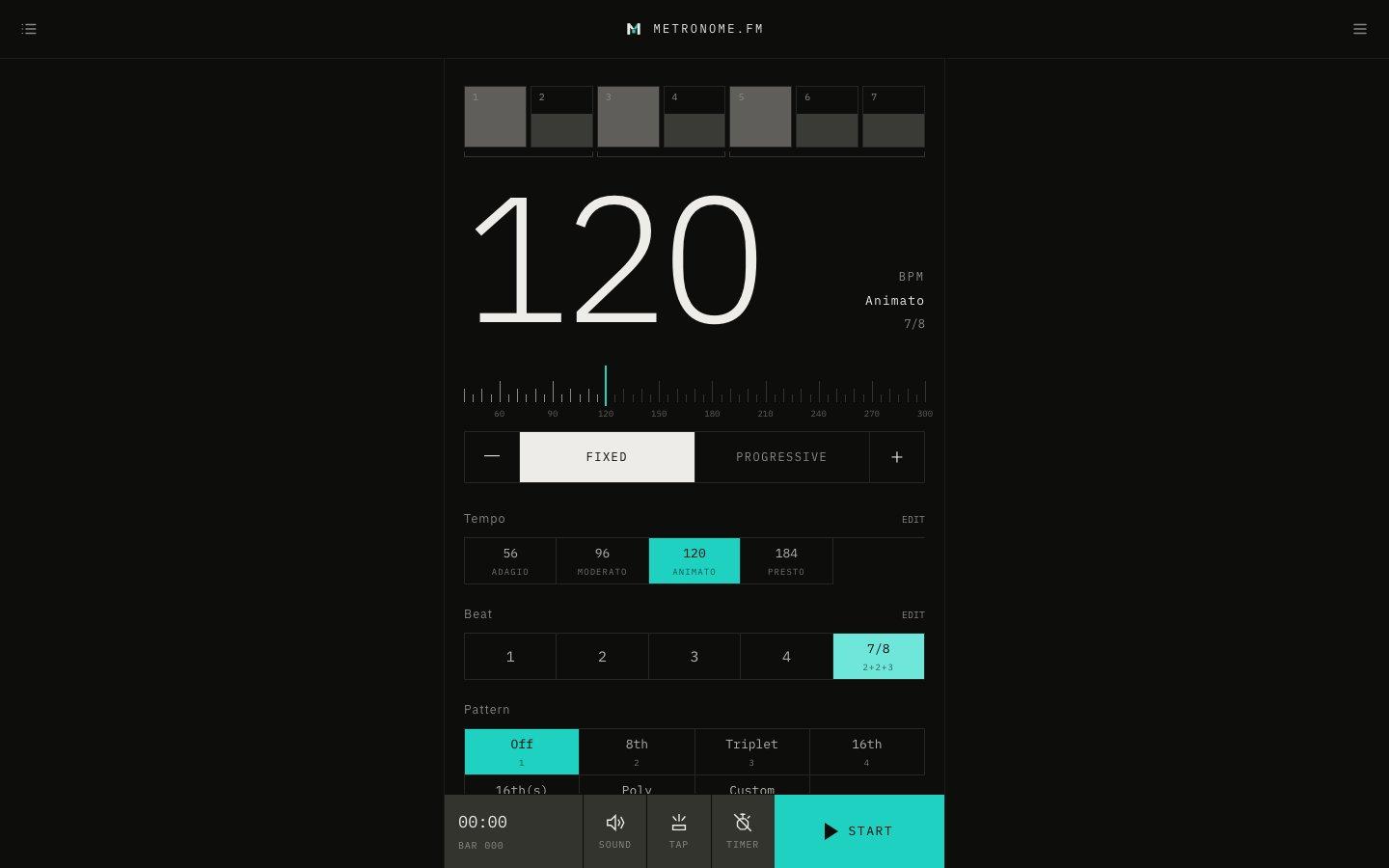
You can now choose the bottom number of the time signature (2, 4, 8 or 16) and beat groups such as 2+2+3 in 7/8. The first beat of each group becomes an accent, and brackets under the beat meter show the groups.
October 10, 2026
The app in this version
Changes
- Added 2/2, 3/2, 3/8, 6/8, 9/8, 12/8, 5/8 (2+3 and 3+2) and 7/8 (2+2+3, 2+3+2 and 3+2+2) under Other meters in Edit next to the time signatures. The meters you choose appear in the time signature row on the main screen.
- With a bottom number of 8, one click plays per 8th note and the BPM counts 8th notes. To play 6/8 with a dotted quarter at 60, set the BPM to 180.
- Type any other meter, such as 5/16 or 3+3+2/8, in Add a time signature. Remove an added meter with ×.
- The time signature and its groups are kept in saved settings, shared links, JSON export and import, and AI setting edits. You can ask the AI for something like "7/8 counted 2+2+3".
- The Set time signature keyboard shortcut now also accepts meters such as 6/8 and 2+2+3/8.