v2.34
Added gap click, which drops the click so you can practice your time
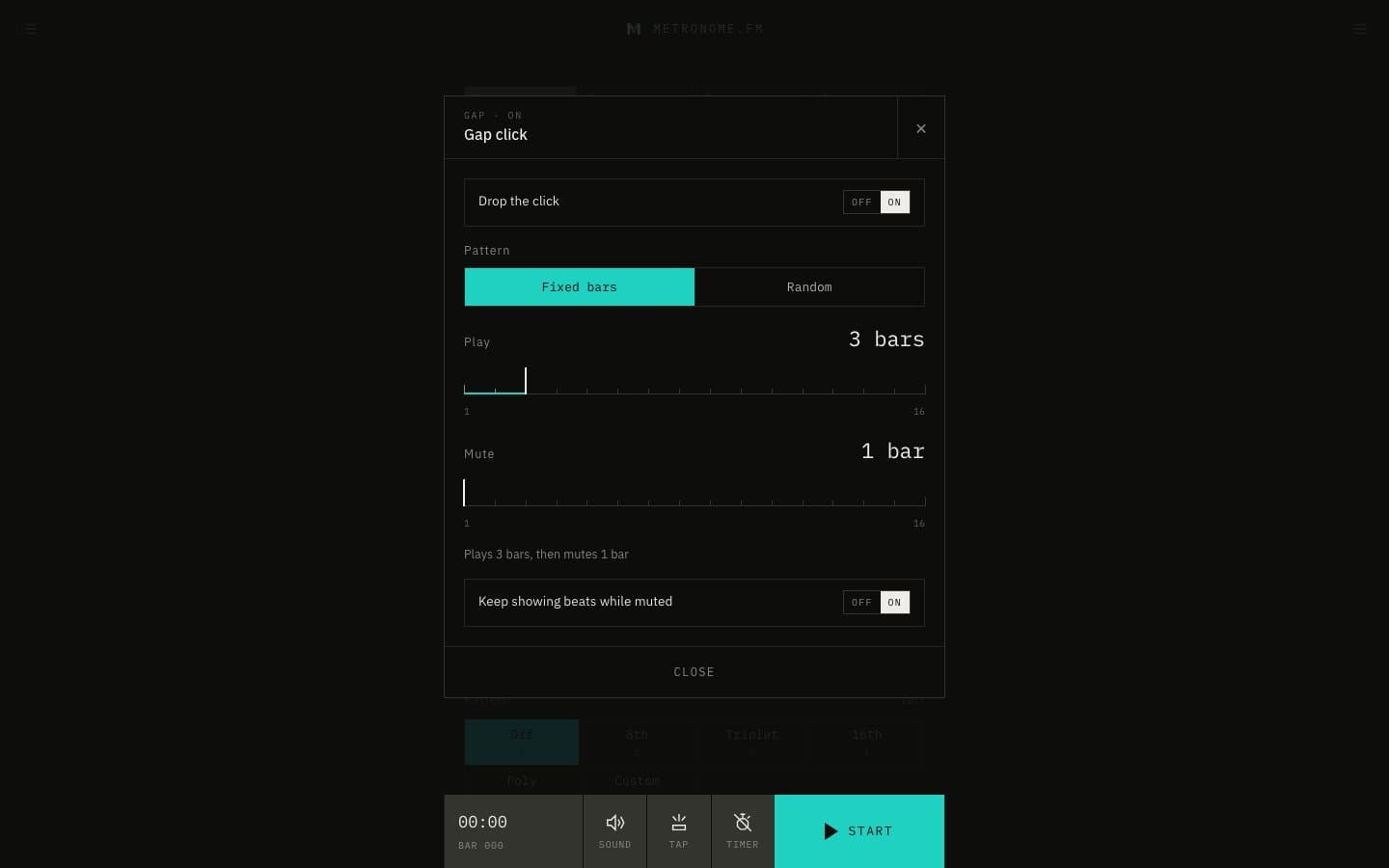
Gap click silences the click now and then, so you can check whether you hold the time on your own. Open its settings from Gap click in the menu or with ⇧G.
October 13, 2026
The app in this version
Changes
- Fixed bars plays a set number of bars (1–16), then mutes a set number of bars (1–16), and repeats.
- Random mutes each beat at random with the chance you set (10–90%). Either way, the first bar always plays.
- On a muted beat, nothing sounds: no click, guide notes, bass tones, or voice count, and the screen flash and vibration stop too. Bars keep counting, so the timer, progressive mode, and multi-track carry on.
- Turn off Keep showing beats while muted to stop the beat meter, pendulum, and ring while muted as well.
- You can add a GAP button to the bar at the bottom of the screen under Footer controls in display settings. The GAP icon lights up while gap click is on.
- Added keyboard shortcuts to turn gap click on / off (G) and to open / close its settings (⇧G).