v2.103
Export the metronome as a video
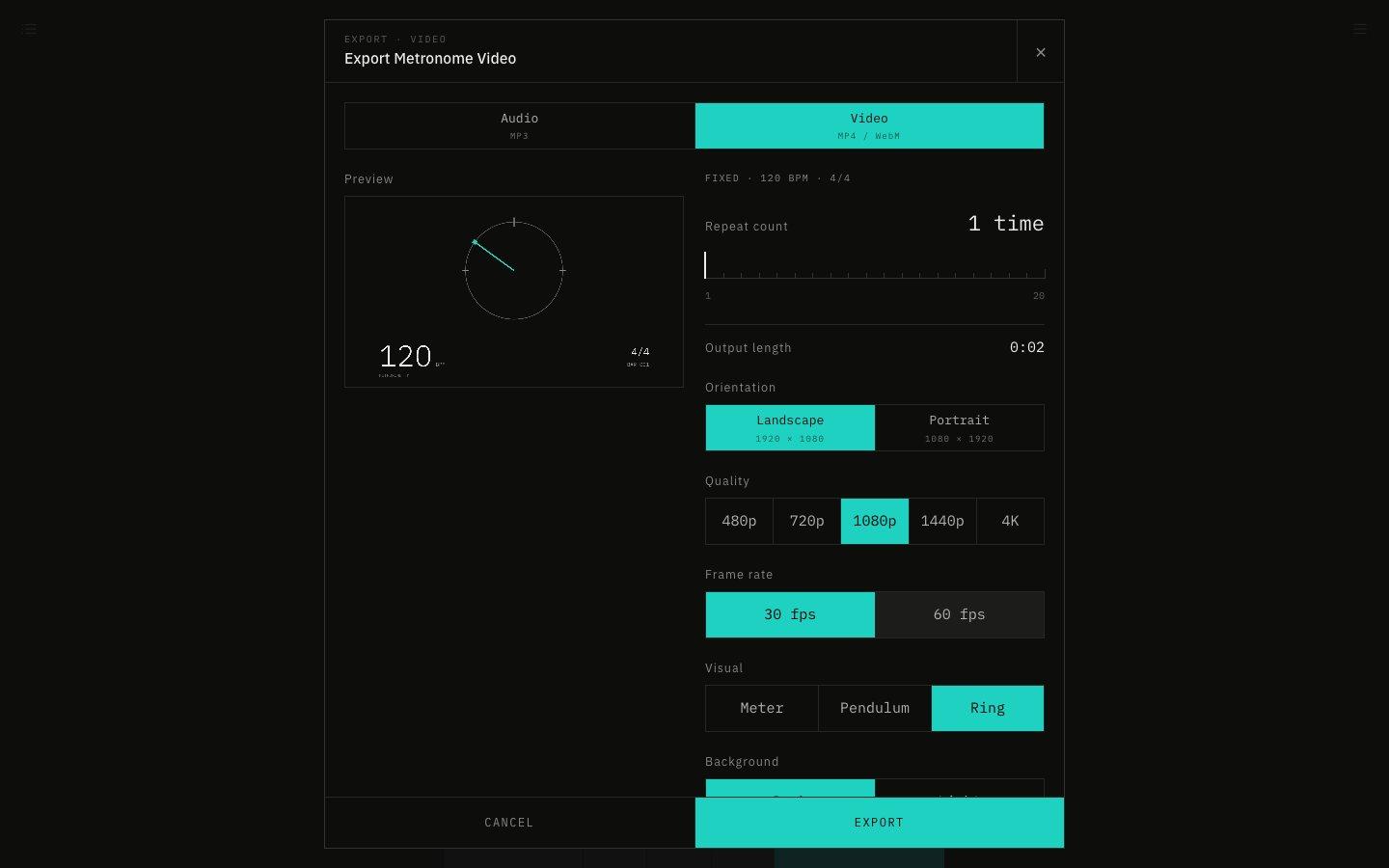
File › Export Audio / Video now saves a video that shows the beat along with the click. Choose landscape or portrait, the beat visual, the background and the accent color, and check it in a preview before you export.
November 13, 2026
The app in this version
Changes
- Choose Video in the export window to export a landscape or portrait video. The sound is the same as the MP3, and the visual moves in time with it.
- Pick the quality from the same steps as YouTube (480p, 720p, 1080p, 1440p and 4K) and the frame rate from 30 or 60 fps. Combinations your browser cannot export are unavailable.
- In browsers that let you choose where to save, the video is written to the file bit by bit as it is exported, so even long 4K or 60 fps videos don't use too much memory.
- Choose the beat visual (meter, pendulum or ring), the background (dark or light) and one of six accent colors.
- A preview shows exactly what you will export.
- Video exports as MP4. Browsers that cannot make MP4 export WebM instead.
- Renamed the menu item from Export as MP3 to Export Audio / Video. Audio and video share the same export limit.
- Progressive mode exports (MP3 and video) now move the tempo from the start BPM to the end BPM in the same way as playback. They used to stay at the start BPM. The repeat count is how many times it plays from start to end.
- The video ring now shows subdivisions, polyrhythms and custom beat notes on the inner ring. A polyrhythm goes round once per cycle, with the ratio in the middle.
- Added Flash the screen for videos. Like the app's screen flash, it flashes the whole screen on accented beats and the edges on normal beats.
- The bar number in videos no longer drifts when multi-track mode joins tracks with different time signatures.
- Fixed exported audio and video being silent while the app was muted. Mute no longer affects exports, which follow the volume setting.
- Fixed the track settings panel in multi-track mode moving with the track's width every time you changed the repeat count. It now stays where it opened.
- Aligned the long lines at the pendulum's ends with the fan ticks. They sat slightly off the next tick and looked like two lines.
- The iOS app can now export the metronome as a video (MP4) too. You can choose the orientation, quality, frame rate, beat visual, background, accent color and screen flash, and check it in a preview before exporting (available from the next app version).
- The iOS app's MP3 export now also runs progressive mode from the start BPM to the end BPM, and can be stopped while exporting (available from the next app version).
- The iOS app can now flash the device's light on the beat. Turn it on with "Flash the light on beat" in SOUND, or with LIGHT in the bar at the bottom of the screen. Like the screen flash, it never flashes more than 3 times a second, and its brightness is kept low so it isn't glaring. It stays off while recording video (available from the next app version).