v2.101
Choose footer buttons with a description of each
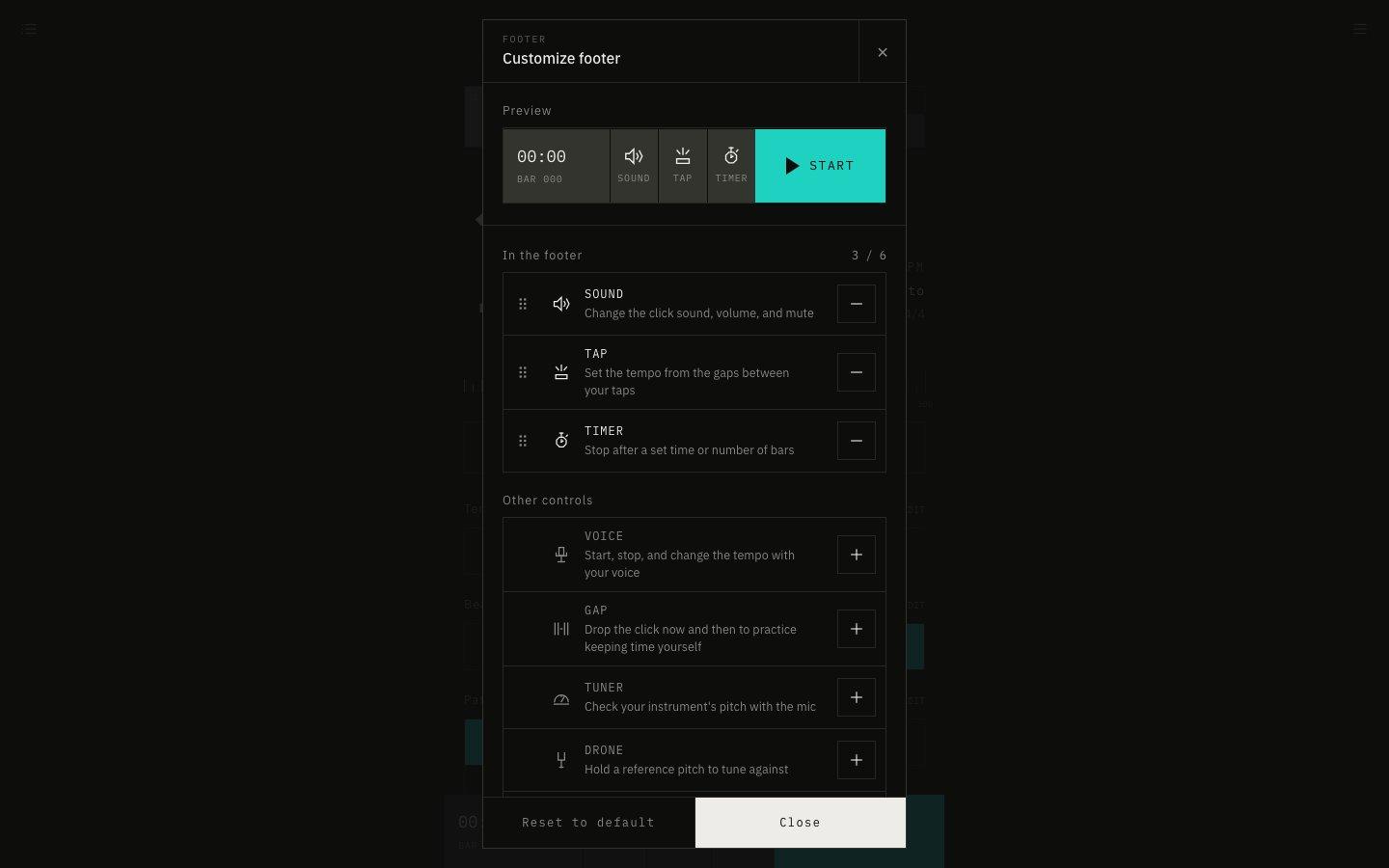
In Customize footer in the menu, you can now pick and reorder the buttons in the bar at the bottom of the screen while reading what each one does.
November 13, 2026
The app in this version
Changes
- Added Customize footer to the menu. You can also open it with Customize under Footer controls in Display Settings.
- Buttons in the bar and the other buttons are listed separately, each with a one-line description. Press + to show a button and − to hide it.
- Reorder shown buttons by dragging the handle on the left. On a phone you can move them without pressing and holding, and you can also reorder them with the keyboard.
- The preview at the top shows the bar right away. Reset to default puts back the original buttons. Reset in Display Settings no longer changes the buttons in the bar.