v2.10
Display options are now in Display Settings
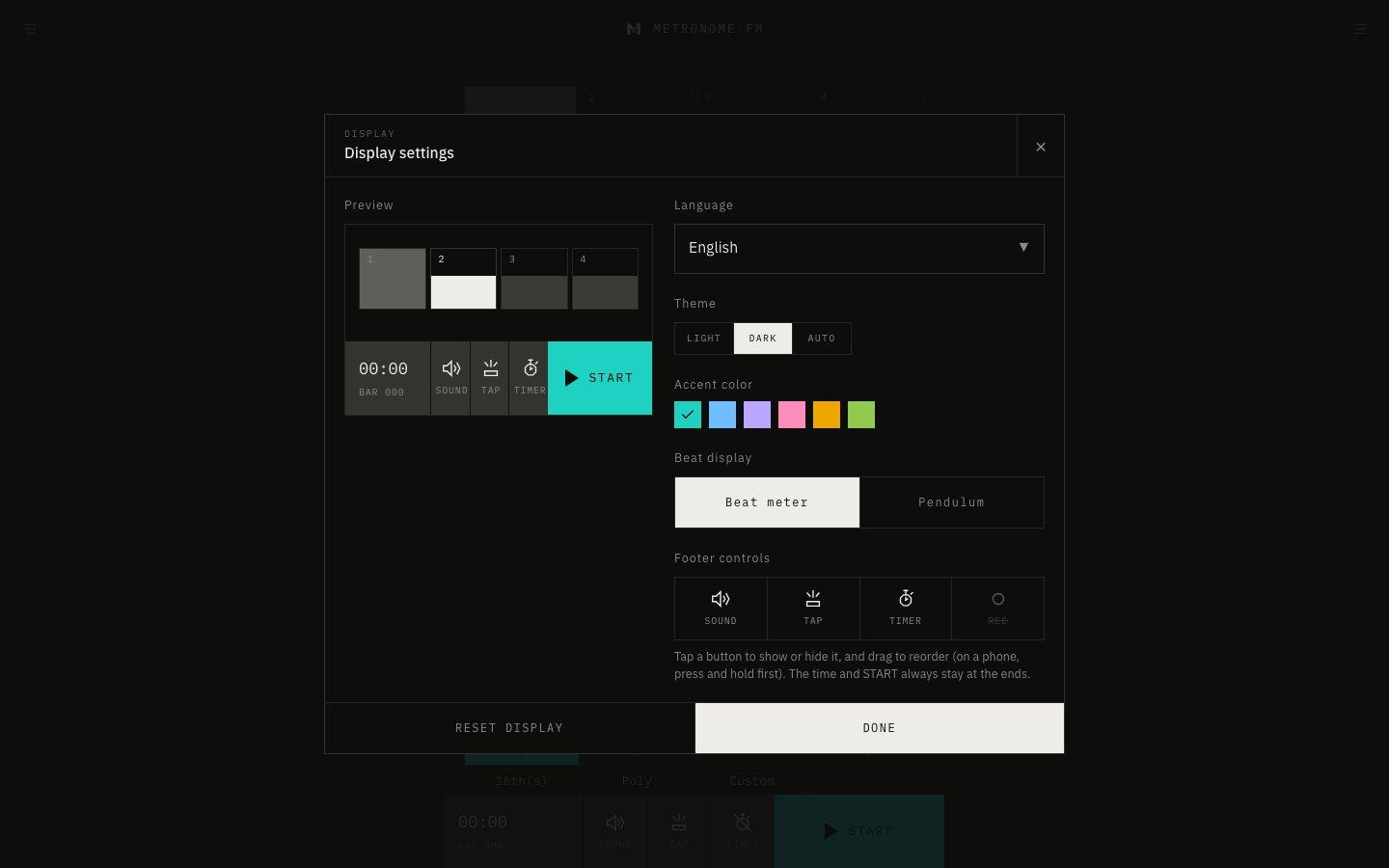
The menu now has Display Settings, where you can change the language, theme, accent color, beat display, and footer buttons, all in one place.
October 8, 2026
The app in this version
Changes
- Language, theme, and accent color, which used to sit at the bottom of the menu, are now in Display Settings. The menu is shorter, so actions are easier to find.
- The beat display (beat meter or pendulum) is now also chosen in Display Settings.
- You can now choose which buttons appear in the bar at the bottom of the screen (SOUND, TAP, TIMER and REC) and drag to reorder them. Showing the record button is also chosen here.
- On wide screens, Display Settings shows a preview on the left, so you can see the beat display, accent color and footer buttons you chose right away.
- RESET DISPLAY puts everything except the language (theme, accent color, beat display and footer buttons) back the way it was at first.
- Full screen still works as before, from Full Screen in the menu or with the F key.