I'm building a wake word for Metronome.fm: say "Hey Friko" (Friko is the Metronome.fm mascot), and voice control of the metronome starts. The model that recognizes it is a small one I trained myself (the training is covered in Training my own model to recognize "Hey Friko").
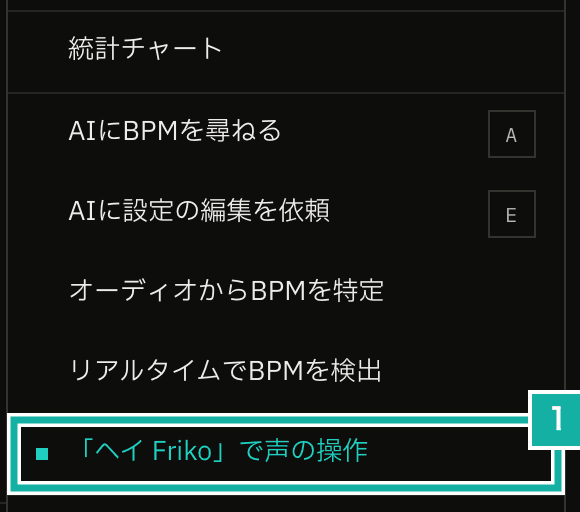
- The item in the app menu. It's marked on the left while the wake word is on
This post is about running that model in the browser. The wake word listens to the microphone continuously on the device, and no audio is sent anywhere. That means the detection keeps running inside the browser, so I had to make sure that work doesn't freeze the page.
Running the three-stage model with onnxruntime-web
The model follows the design of openWakeWord, an open-source framework for building wake word detectors, and has three stages.
- Turn the audio (16 kHz) into a mel spectrogram
- Turn that into a 96-dimensional embedding with Google's speech embedding model
- Feed the latest 16 embeddings into the classifier I trained, which gives the wake word probability
openWakeWord doesn't support inference in the browser, so I read the part of its code that processes streaming audio and wrote the same steps in TypeScript. Each time 80 ms (1,280 samples) of audio has built up, it computes 8 mel spectrogram frames from the previous 1,760 samples (the new 1,280 samples plus the 480 before them) and scales the values with ÷10 + 2, as openWakeWord does. Then it makes one embedding from the latest 76 frames.
// Condensed to the essentials (run, tensor and rowsOf are shortened names for this post)
private async processChunk(chunk: Float32Array): Promise<number> {
  // Keep the previous 480 samples and append the new 1,280 samples
  buffers.raw.copyWithin(0, CHUNK);
  buffers.raw.set(chunk, MEL_CONTEXT);

  const spec = await run(sessions.mel, { input: tensor(buffers.raw) });
  for (const row of rowsOf(spec, MEL_BINS)) buffers.mel.push(row.map((v) => v / 10 + 2));
  buffers.mel.splice(0, buffers.mel.length - MEL_WINDOW);

  const embedding = await run(sessions.embedding, { input_1: tensor(buffers.mel, [1, 76, 32, 1]) });
  buffers.features.push(embedding);
  buffers.features.shift();

  return (await run(sessions.classifier, { input: tensor(buffers.features, [1, 16, 96]) }))[0];
}As a reference, I also wrote a Python script that computes the probabilities with the same steps as openWakeWord, and compared the probabilities on the same recording. Over 305 seconds and 3,817 judgments, the largest difference was 0.000009. One judgment takes 2.7 ms, and it runs once every 80 ms, so it uses about 3% of the time.
The microphone delivers audio at 44.1 kHz or 48 kHz, so an AudioWorklet brings it down to 16 kHz. It applies a windowed-sinc low-pass filter (63 taps), then interpolates between samples and decimates. To check this, I upsampled a recording to 44.1 kHz and brought it back down to 16 kHz with the AudioWorklet. The number of times it was taken as the wake word (probability at or above the 0.5 threshold) was 31 in the browser against 33 in Python. The difference was just a few judgments right at the threshold coming out differently.
Serving the WASM from my own site
onnxruntime-web runs by loading a WASM file (11 MB, 2.7 MB gzipped). Metronome.fm's CSP doesn't allow loading from outside CDNs, so the build copies the file from node_modules to public/ort/ and the site serves it. It's only loaded when the wake word is turned on.
I tripped over two things here.
- If you pass a location to
ort.env.wasm.wasmPathsas a string, it loads not only the WASM but also its loader,ort-wasm-simd-threaded.mjs, from there. At first I copied only the WASM, and got a 404 - After one 404, it still wouldn't load within the same page, even after I put the file in place. The browser reuses the result of a failed dynamic import within the same page. Reloading the page fixed it
I added 'wasm-unsafe-eval' to the CSP, which allows compiling WebAssembly and nothing else. For onnxruntime-web to use multiple threads internally, the page has to be crossOriginIsolated. The site isn't, so it runs on a single thread (numThreads = 1).
On the main thread, setup froze the page
At first, detection ran on the main thread. Microphone audio arrived from the AudioWorklet on the main thread via postMessage, and the three-stage model ran there. The metronome's sound is generated inside an AudioWorklet, so detection never delays the audio.
The page still froze, though. Counting work longer than 50 ms (long tasks) with PerformanceObserver, there were two tasks of about 50 ms right after turning the wake word on. That's onnxruntime-web preparing its sessions (loading the models into a state where they can run). While detecting, the roughly 3 ms of work every 80 ms fit into the gaps.
But those numbers are from a fast Mac. On an old phone the same work can take several times longer, so setup could visibly freeze the page, and detection would keep using the main thread.
Passing audio straight from the AudioWorklet to a Worker
So I moved all of the detection, including model setup, into a Web Worker. onnxruntime-web has its own setting for running inference in a Worker (proxy), but with that the audio still passes through the main thread. So I made my own Worker and passed the audio directly from the AudioWorklet to it over a MessagePort.
// Connect the AudioWorklet and the Worker with a MessagePort that bypasses the main thread
const channel = new MessageChannel();
node.port.postMessage({ port: channel.port1 }, [channel.port1]);
worker.postMessage(
  { type: "init", audio: channel.port2, classifierFile: CLASSIFIER_FILE },
  [channel.port2],
);The AudioWorklet sends 16 kHz audio to port1 about 30 ms at a time. The Worker receives it on port2 and runs detection each time 80 ms has built up. Besides preparing the model and detecting, it also does the rest inside: treating a probability of 0.5 or higher as the wake word, and ignoring further detections for 2 seconds after one. All it sends back to the main thread are messages for ready, detected and error. The Worker's code is bundled into one file with esbuild, like the AudioWorklet code, and came to 50 KB including onnxruntime-web's JavaScript (the WASM file is loaded separately).
Detection on the main thread | Detection in a Worker | |
|---|---|---|
Long tasks (over 50 ms) right after turning it on | 2 of about 50 ms | 0 |
Delay of a timer firing every 16 ms (worst) | 52 ms | 6 ms |
Delay of a timer firing every 16 ms (value at the slowest 1%) | 7 ms | 4 ms |
Detection itself worked the same as before the move. From the end of the wake word to the start of listening for the voice command takes about 0.4 seconds.