v2.77
Press an avatar to open that person's profile
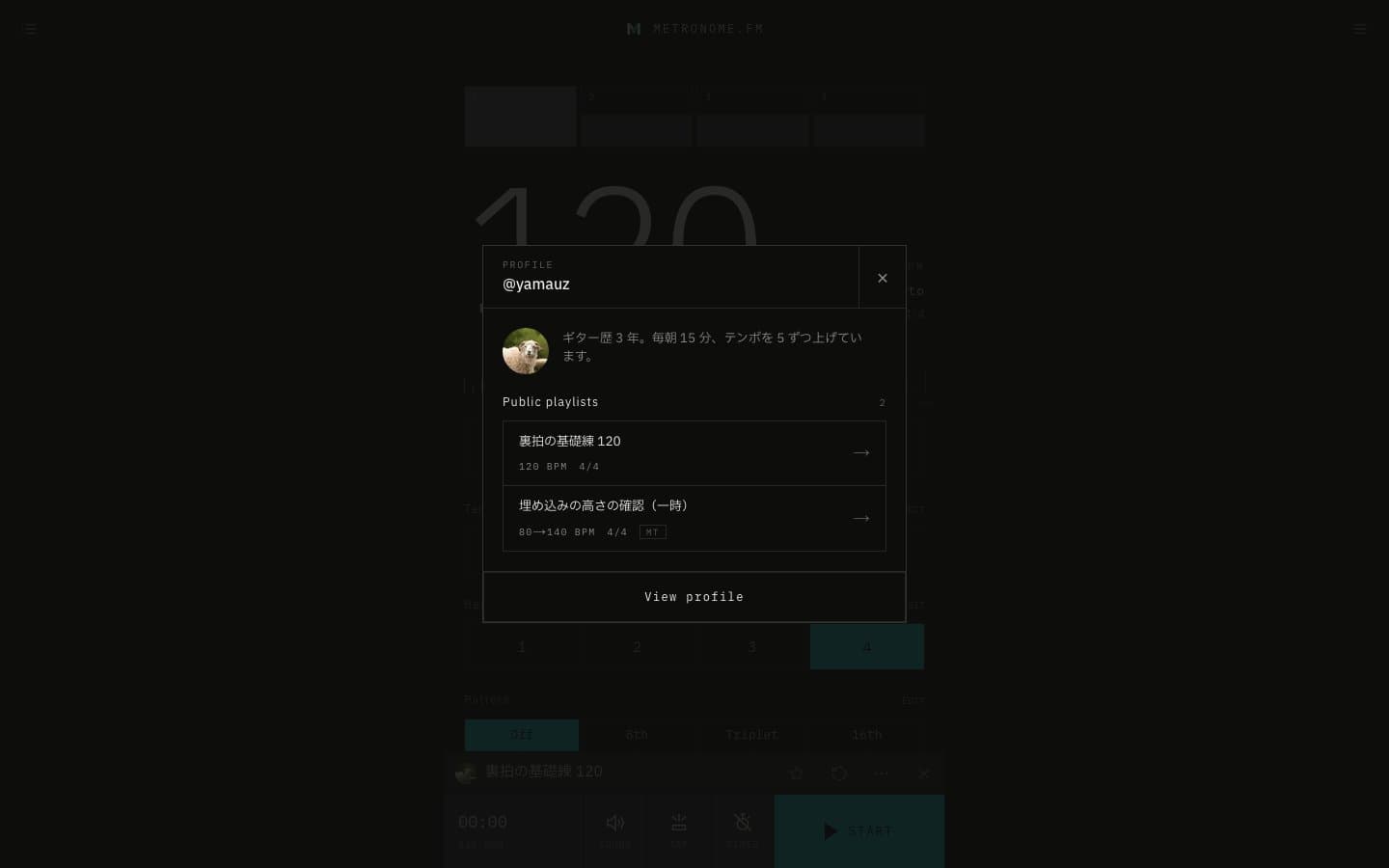
Pressing an avatar on a Library row, or on the bar while you have a shared setting open, now opens a short profile of that person. It lists the playlists they have made public, and pressing one switches to it.
November 1, 2026
The app in this version
Changes
- The short profile shows the person's avatar, username and bio, followed by their public playlists, newest first. When there are many, only the list scrolls. For your own avatar, your private playlists appear too, marked Private.
- If their profile is public, View profile takes you to their profile page. For private profiles, it only says the profile is private.
- Pressing an avatar used to search for user:name in the Search tab; it now opens the profile instead. Searching with user:name still works as before.