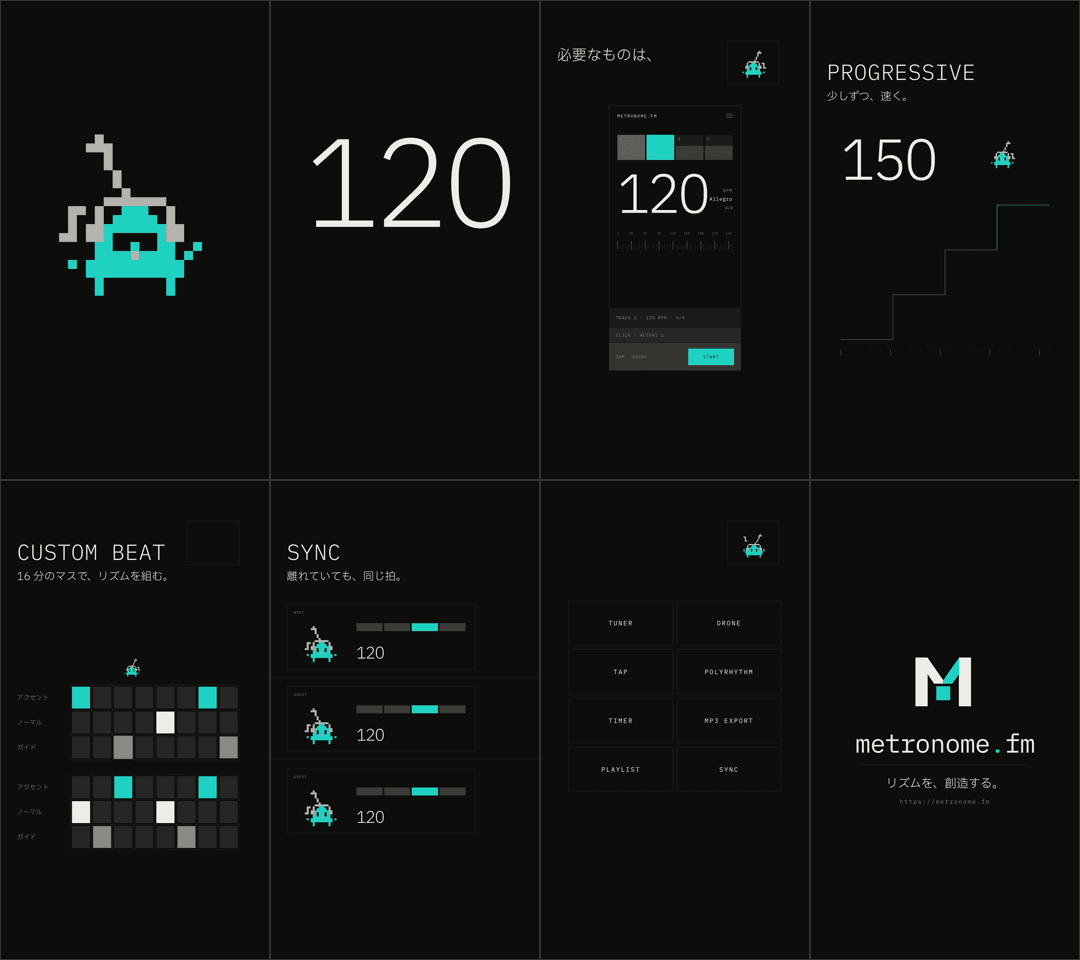
We made a YouTube Shorts version of the Metronome.fm intro video. It is vertical (1080×1920) and 28 seconds long, and like the horizontal original (the full intro video), every motion sits on a 120 BPM beat. The video features Friko, the app's pixel-art mascot.
The big difference from the original is the sound effects. In the original, I synthesized 8-bit style sounds from raw waveforms myself. For the Short, I remade them with a tool called earshot. This post covers what earshot is, and how I made the effects, placed them on the beat, and checked them by listening. The second half is about rebuilding the horizontal scenes for a vertical screen.
What earshot is
earshot is a tool that gives coding agents ears. Its README describes it as "Ears for coding agents." It is MIT licensed, and I used version 0.2.0 for this post.
An agent can write code that renders a video, but it cannot hear the result. earshot turns sound into words describing what it sounds like, plus numbers such as loudness and timing, in a form an agent can use to make decisions. It runs on the local CPU only, and you can call it from the command line, from Python, or as an MCP server.
Inside, it uses two open models. CLAP (laion/larger_clap_general) turns sound and text into the same kind of vector so they can be compared, and AST names sounds with the AudioSet labels. On first use it downloads about 1.4 GB for both. It also combines measurements that do not use models, such as loudness, peaks, and how a sound starts.
These are the main commands.
Command | What it returns |
|---|---|
describe | What a sound sounds like (words, and close alternative readings) |
match | How well a sound fits a description |
timeline | A second-by-second listening log of a video or long recording (events, loudness, beat grid, offsets from picture cuts) |
sheet | The timeline result drawn as one image |
forge | Synthesizes a sound effect in code and improves it by listening and scoring |
fit | Turns a recording into synthesis code that plays it back |
I used forge, plus timeline and sheet for checking.
Making sound effects in code with forge
forge makes sound effects without any recordings. A sound is a "recipe," a piece of Python code that computes resonance, noise, room reverb, and a microphone with physical models. It renders dozens of candidates with slightly different recipe parameters, scores each one by listening with earshot itself as the critic, and keeps the better ones as it searches.
There are 20 recipes, split by type of video sound effect, such as whoosh, riser, zip, and notify. I matched each 8-bit sound from the original to the recipe with the closest role.
Scene | Name of the original sound | forge recipe |
|---|---|---|
The sunglasses glint, the logo lands | glint | shimmer |
Friko hops up the stairs one step at a time | jump | zip |
Friko lands on the top step | land | popin |
Typing a song title | type | typing |
Picking the song | confirm | notify |
LEVEL UP | celebrate | sting |
Leading into the final scene (the ending) | snare fill | riser |
You pass the sound you want as an English sentence in --target, and list sounds it should not resemble in --alts. For the jump, it looks like this.
earshot forge zip --mode designed \
  --target "a short upward pitch sweep, a cartoon character jumping" \
  --alts "a bird chirp" "a squeaky door hinge" \
--budget 64 --variants 3 --seed 400 --dir renders/earshot-forge/jumpforge can also score realism by comparing against real recordings (references). Those recordings are not in the repository for licensing reasons, so you have to bring your own. This time I did not use references and ran with --mode designed, which scores only on the match to the description and on model-free measurements (harsh bands, clipping, tails that get cut off, and so on).
Searching 64 candidates for each of the seven recipes took 6 minutes 23 seconds on this Mac. The result describes in words what each kept candidate sounds like. Here is the first jump candidate.
zip_01: PASS total 5.75: match z +5.75 (best alternative +1.47); p_real 0.32 (not required: designed);
  sounds like: an 8-bit sound effect, a cheap synthesized beep, a quick swipe; clean (no artifact or polish flag)
It is heard as an 8-bit sound effect. The description never said "8-bit," so it was a happy accident that the sounds came out in the same style as the original and fit the pixel-art Friko.
You can compare the original sounds with the ones made by earshot.
The jump gets higher with each step. I took the best parameters, multiplied the pitch parameters (f0, f1, fpk) by a ratio of three semitones per step, and rendered four sounds, one for each of the four steps. If you pass a parameter JSON to forge --render, it only renders without searching.
Preparing the sounds for the beat
The sounds that forge makes cannot be placed exactly on the beat as they are. Before putting them in the video, a script prepares three things.
The first is the silence at the start. To sound like a recording, forge sounds include a little room tone before the sound. I cut it with ffmpeg's silenceremove so every sound starts at 0 seconds.
The second is sounds with a build-up. The glint (shimmer) and LEVEL UP (sting) swell before reaching their peak. The time to the peak was 0.35 seconds for the glint and 0.33 seconds for LEVEL UP. If the start of the sound sits on the beat, it is heard late. So the script finds the loudest point in 20 ms windows, writes it to a JSON file, and plays the sound that much earlier so the peak lands on the beat.
/** Seconds from the start to the peak of sounds with a build-up (written by make-sfx-earshot.sh). Played that much earlier so the peak lands on the beat */
const LEADS = JSON.parse(readFileSync(join(ROOT, "assets/sfx/leads.json")));

const sfx = (name, t, volume) =>
  add({
    src: `assets/sfx/${name}.wav`,
    start: t - (LEADS[name] ?? 0),
    duration: wavSeconds(join(ROOT, "assets/sfx", `${name}.wav`)),
    volume,
});The third is the riser. The riser sound is 2.9 seconds long and keeps getting louder toward the end. At 120 BPM, one beat is 0.5 seconds. If I cut the first 0.5 seconds to fit the single beat of the original snare fill, it ends before it builds.
The last 0.5 seconds only rises 7 dB, measured in 0.1 second windows. The last second rises 16 dB, so I cut that one second (two beats). Playing it two beats before the first beat of the ending (the final scene with the logo) puts the peak right where the ending starts and the background music stops.
I also matched the levels. The volume settings in the original were set with the 8-bit sounds in mind, so each new sound's average level is matched to the original sound with the same role. The jumps went down 5 to 6 dB, and the landing went up 1.6 dB. I kept the peaks at -1 dBFS or below, so the short typing sound (typing) could not be raised (for typing, I raised the playback volume instead, as described in the next section).
Checking by letting earshot listen
I checked the rendered video by letting earshot listen with timeline and sheet. sheet draws event labels, a spectrogram, loudness, and offsets from picture cuts in one image.
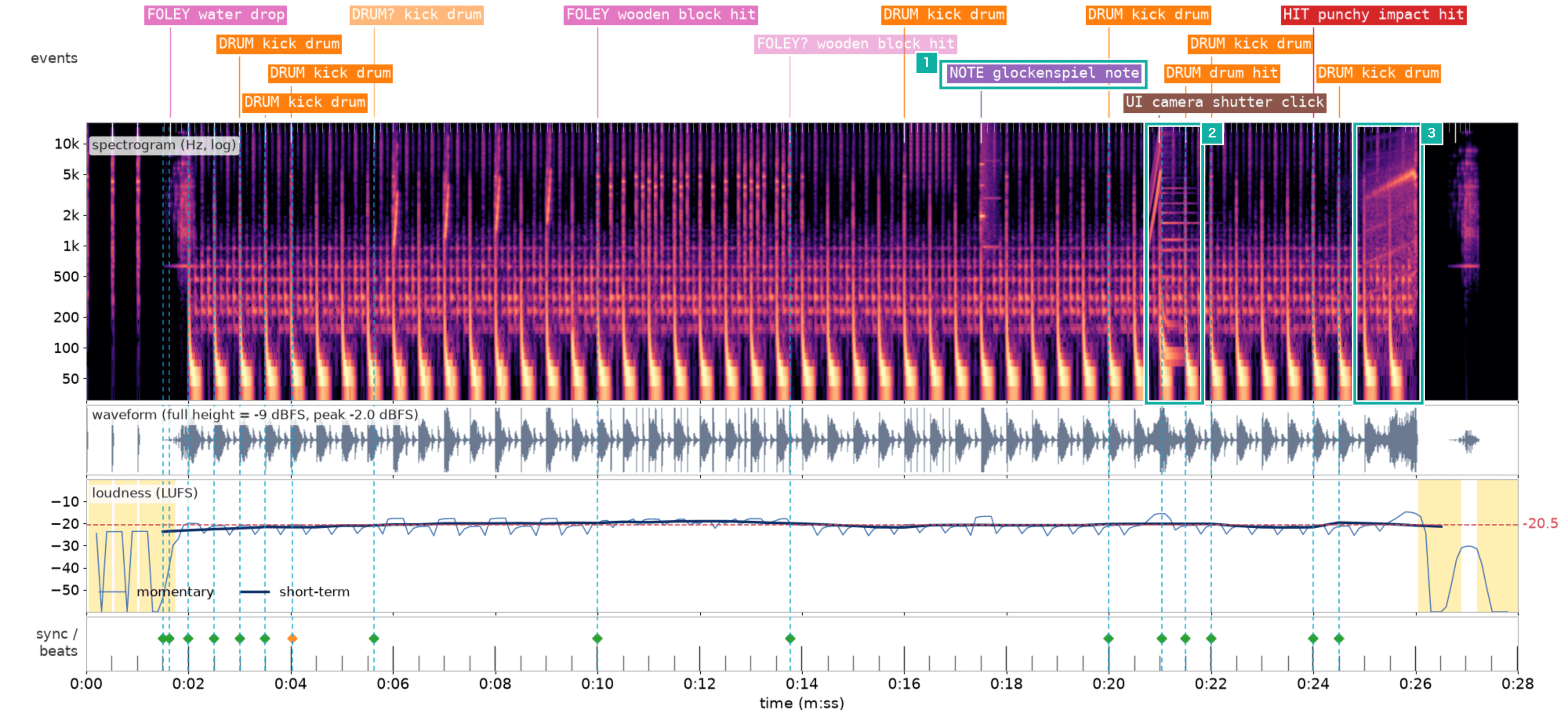
- The sound for picking the song (17.5 seconds), heard as a glockenspiel note
- The LEVEL UP sound (21 seconds). The overtones of the chord stack up vertically
- The riser into the ending (26 seconds). The pitch climbs and ends right when the music stops
timeline returns the same result as text. The song-picking sound was heard at 17.5 seconds as "glockenspiel note / notification ding," and the riser at 26 seconds as "reverse cymbal swell," both on the intended beats. For 94% of the 16 picture cuts, a sound started within one frame.
Listening led to two changes.
For the riser, I first planned to use the candidate with forge's highest score. But in the description attached to that candidate (what it sounds like), the top entry was "a downlifter falling sweep." The third candidate was heard as "a rising riser building tension," so I switched to that one.
The typing sound was not picked up by timeline as a separate sound. The song title is typed while the background music plays, and the original 8-bit typing in the same scene was not picked up either. But as described in the previous section, the earshot sound could not be matched to the original's average level, so it played quieter than the original. I doubled its playback volume (+6 dB), but it is still not picked up. I think this is because seven short sounds spaced a sixteenth note apart overlap the kick of the music. I decided to judge this one by ear.
Rebuilding for a vertical screen
The original scenes are laid out with fixed coordinates on a 1920×1080 screen. Changing the size alone does not make them fit a vertical screen, so I rebuilt each scene.
For the Short, I dropped the scene where you call out "Hey Friko" by voice (bar 2 of the original). The scene code still uses the original bar numbers, and the function that turns bars and beats into times (at below) shifts everything after bar 3 one bar earlier. This saved me from rewriting the times in the scene code one by one.
// Bar 3 of the original = bar 2 of the Short
const at = (bar, beat = 1, sixteenth = 0) =>
  (bar - (bar >= 3 ? 2 : 1)) * BAR +
  (beat - 1) * BEAT +
sixteenth * SIXTEENTH;The dropped scene ended with Friko putting on sunglasses and a glint. That moment leads into the next scene, so in the Short I moved it to beat 4 of bar 1.
On a Shorts screen, the like and comment buttons sit on the right, and the title and channel name sit at the bottom. I decided to keep the important parts (words, numbers, Friko) within 64 to 960 px horizontally and 160 to 1480 px vertically. The small frame for Friko (the wipe), which was at the bottom right in the original, overlapped the buttons, so I moved it to the top right.
Wide pictures were folded and stacked vertically.
- I split the 16-step custom beat into two rows of eight steps. Friko, who marks the step being played, hops from step 8 to the start of the second row
- I changed SYNC, which plays the same beat on three devices, from three columns to three rows, and ran the connecting line vertically along the right side
- I split the one-year (52-week) practice calendar into two rows of 26 weeks
- At the last beat, where the feature tiles get pulled into the beat meter, I changed the tiles from four columns by two rows to two columns by four rows
I checked whether the picture lands on the beat with the same script I used for the original, which counts whether each motion starts on the beat. Of 840 frames, 71 were points where something starts moving, and one was off the sixteenth-note grid. As in the original, it was the scene where the timer digits advance.