I rebuilt the statistics in Metronome.fm. Until now, they only showed practice time by week and a breakdown by setting. Now there is a Year tab for looking back on a whole year of practice, along with weekly goals, quests, and other features to help you keep going.
Open the statistics from Statistical Charts in the menu. You need to sign in to see your own records, but everything works with a free account (the Free plan).
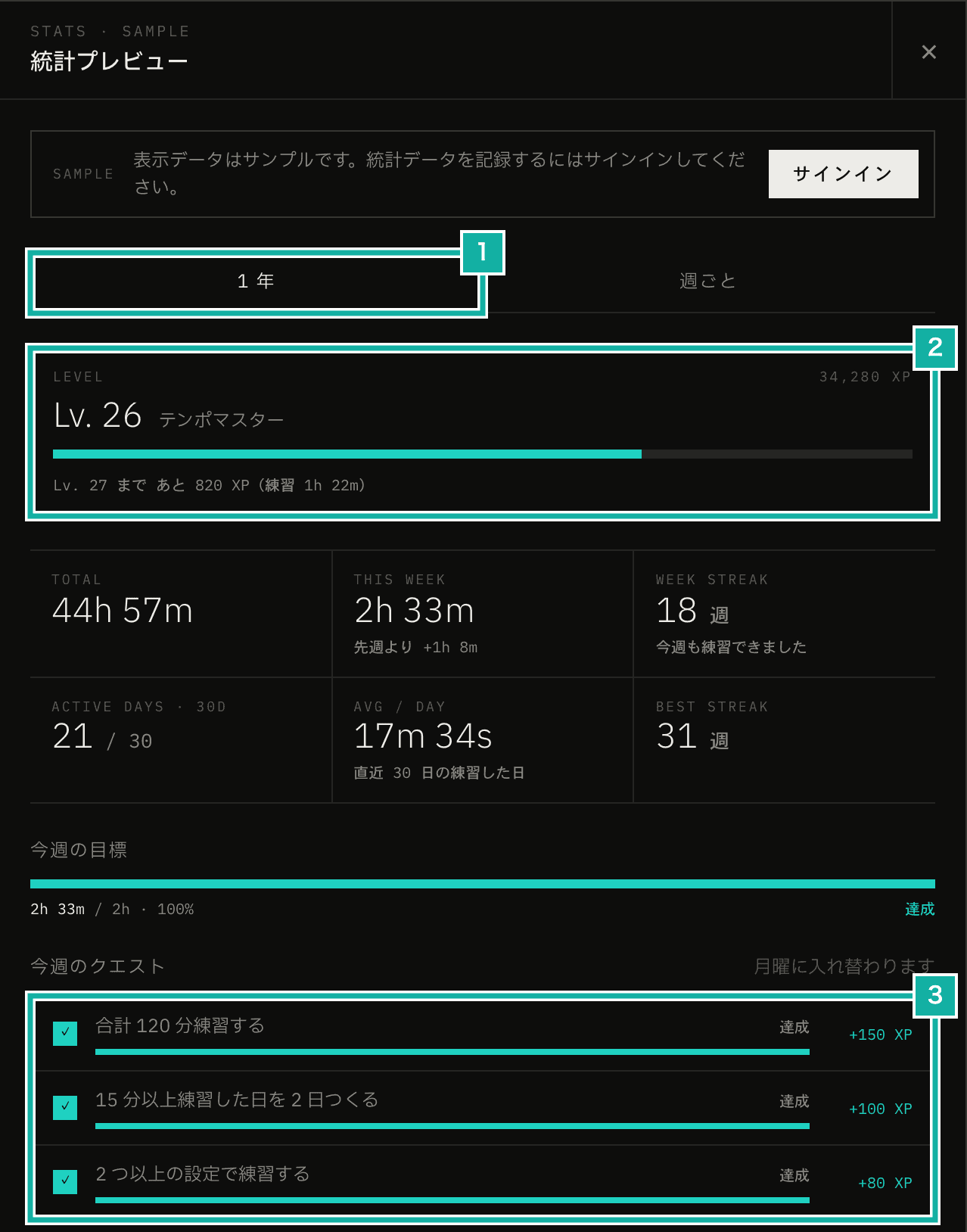
- The new Year tab. The existing weekly chart moved to the tab next to it
- Practice level. It goes up with practice time and quests
- Weekly quests. They change every Monday
This post walks through what the statistics can do. At the end, I cover two bugs I found and fixed along the way.
A one-year practice calendar
The centerpiece of the Year tab is a practice calendar like GitHub's contribution graph. Each square is one day, and it shows a full year (53 weeks). The longer you practiced, the darker the square, and tapping a square shows that day's practice time.
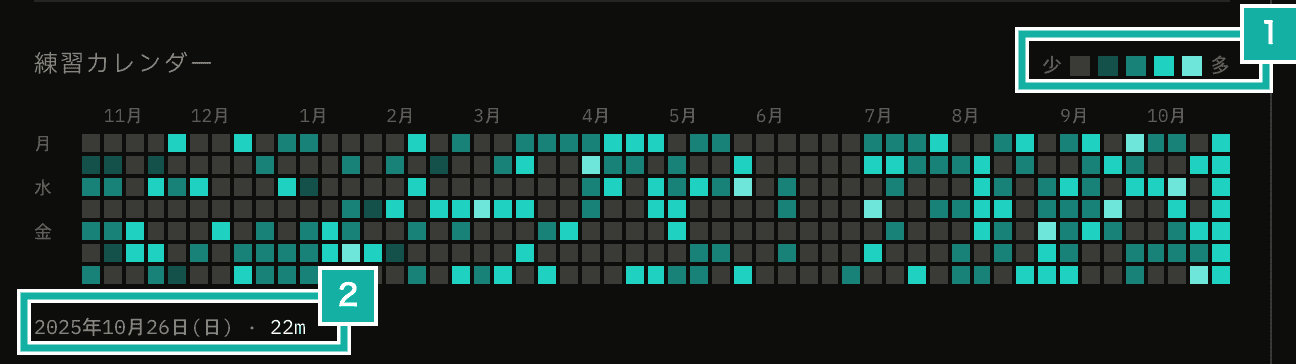
- The shade levels. The thresholds are fixed at 5, 15, and 30 minutes
- Tap a day to see how long you practiced
The shade thresholds are fixed at 5, 15, and 30 minutes. GitHub sets its thresholds from each person's own past year. With that approach, a single long session makes every other day look pale, and the same 20 minutes gets a different shade for different people. Practice time means something on its own ("how many minutes"), so I went with fixed minutes.
The values come from how long the Free plan can play (20 minutes a day). Free users can reach the third of the four levels (not counting days with no practice), and the darkest level is for long sessions over 30 minutes.
Above the calendar, you also see your total practice time, this week's time (and the difference from last week), how many of the last 30 days you practiced, and your average practice time per day you practiced.
Streaks counted in weeks
Practice streaks are counted in weeks, not days. Practice on at least one day in a week (starting Monday), and the streak continues.
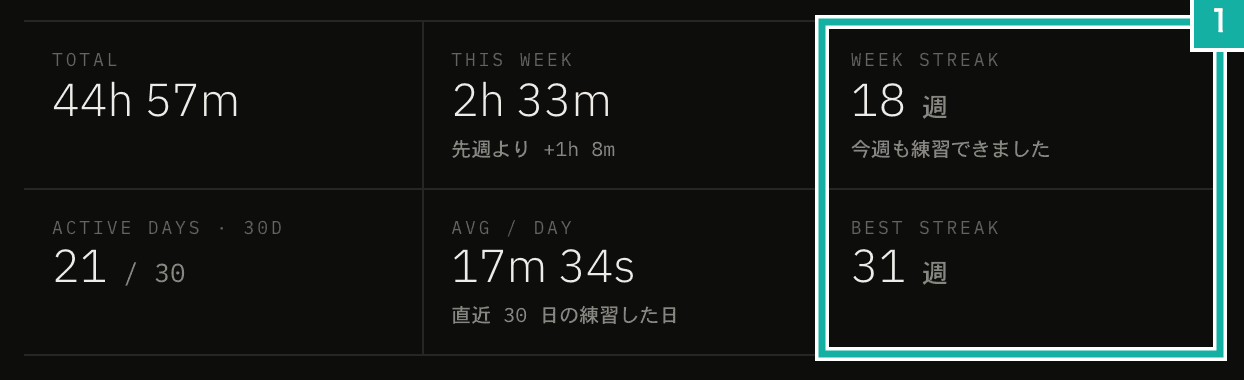
- The number of weeks in the current streak, and the longest so far
Rest days are normal in instrument practice. With a daily streak, one day off resets it to zero. A broken streak also makes people less likely to keep going. In a study on exercise by Silverman and Barasch (2023), about 66% of people whose streak was intact chose to do another exercise, compared with about 58% of people whose streak had broken. Counting in weeks, days off don't break the streak as long as you practice on one day that week. Strava, Simply Piano, and Yousician also count streaks in weeks.
If you have not practiced yet this week, your streak up to last week is still treated as unbroken until the week ends. Opening the app on Monday morning won't show a zero.
Weekly goal
You can set a practice-time goal for the week, from 30 minutes to 7 hours. Once set, the Year tab shows this week's progress and how much is left to reach it. The goal is saved to your account, so it's the same on your other devices.
Levels and quests
Quests are three small goals each week. They are picked from a pool of 8, such as "practice on 3 days" or "practice 60 minutes in total", with a fixed pick for each week and user, and they change every Monday. All of them can be reached within the Free plan's play time.
Your level goes up as you practice. You earn XP in two ways: by practicing (10 XP per minute) and by completing quests (their rewards). Your level never goes down, and its title changes as you level up, starting with "Beginner" and "Rhythm Keeper". Your current level also appears in the account section of the app menu.
Milestones and celebrations
There are milestones for total practice time (1 hour, 10 hours, 100 hours, and so on) and for streaks (2 weeks, 12 weeks, 52 weeks, and so on). The statistics show the milestones you have reached and how far you are from the next ones.
When you reach a new milestone, or complete a weekly goal, level, or quest, you'll see it with confetti when you stop playing. Nothing shows up in the middle of practice, and people who have reduced motion turned on in their device settings do not see confetti.
The weekly chart
The previous weekly view moved to the Weekly tab. It shows your practice time and active days for the week, a daily bar chart, and a breakdown by setting.
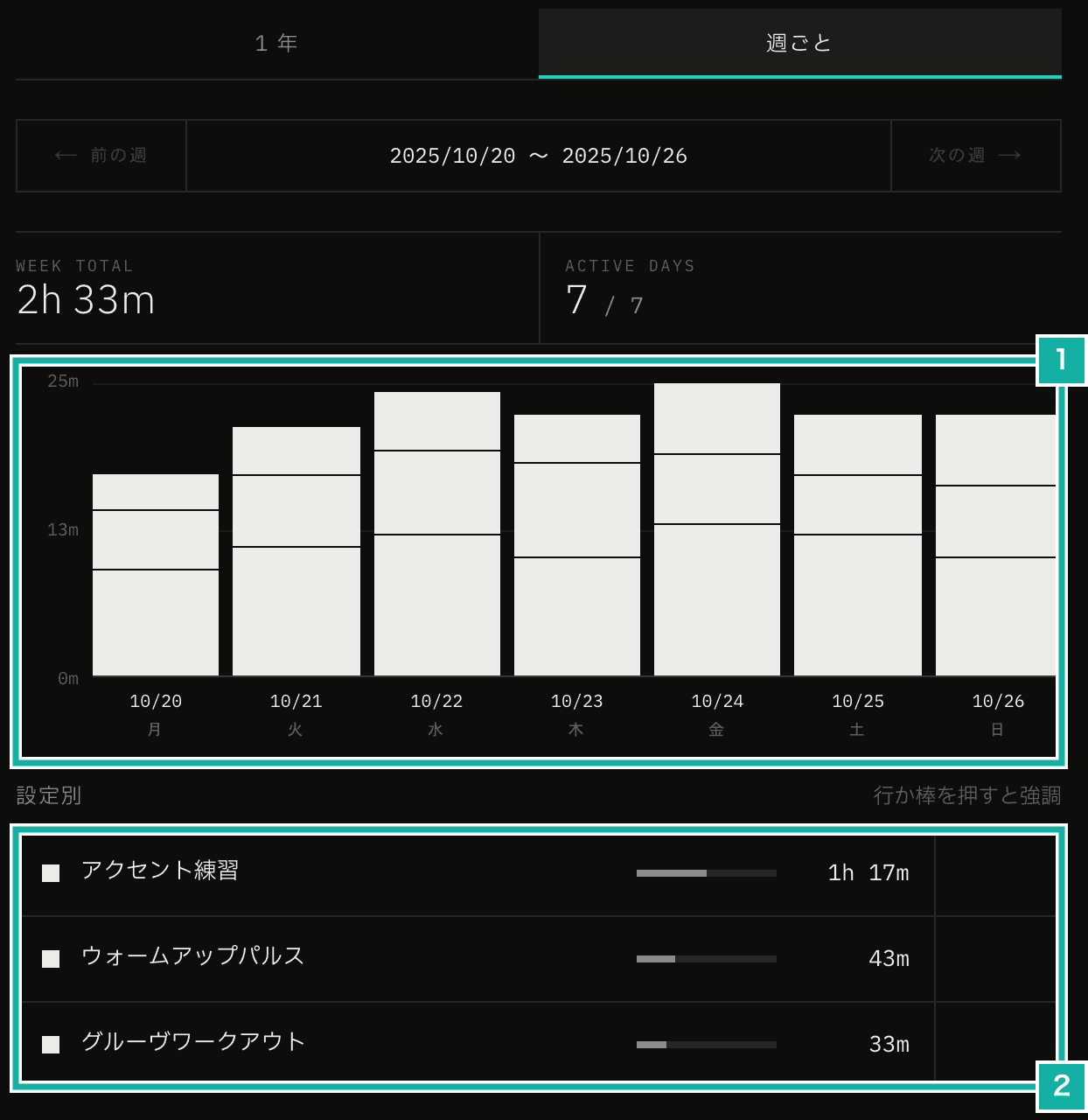
- Practice time per day. Each bar is stacked by setting
- The breakdown by setting. Tap a row or a bar to highlight that setting
What I found and fixed along the way
The first fix was the date of each record. In Japan, practice before 9 a.m. was recorded on the previous day. The Server Action that receives records decided the date by the server's clock. Vercel's servers run in UTC, so between midnight and 9 a.m. in Japan, it is still the previous day in UTC. So I changed it to decide the date from a cookie holding the browser's time zone (mfm_tz). The same cookie is also used to reset plan limits at midnight every day.
// Today in the user's browser time zone. Falls back to UTC if the cookie can't be read
const recordedDate = recordedDateOf(
  periodKeyOf("day", new Date(), await getRequestTimeZone()),
);The second was the statistics view flickering. While the metronome plays, practice time is recorded through a Server Action every 10 seconds. When I made each record clear the statistics cache with updateTag, the open statistics went back to the loading state every 10 seconds. Calling updateTag in a Server Action re-renders the whole current page on the server (the Next.js docs say so too). The statistics are only read when you open them and when a record comes in while they are open. So I stopped caching the statistics query and no longer call updateTag.