We rebuilt the screens shown when a page can't be found (404) and when an error occurs while showing a page. Both now show Friko, our mascot, as an outline-only figure that fades out toward its feet. On the 404 page Friko is lost, and on the error screen Friko is crying.
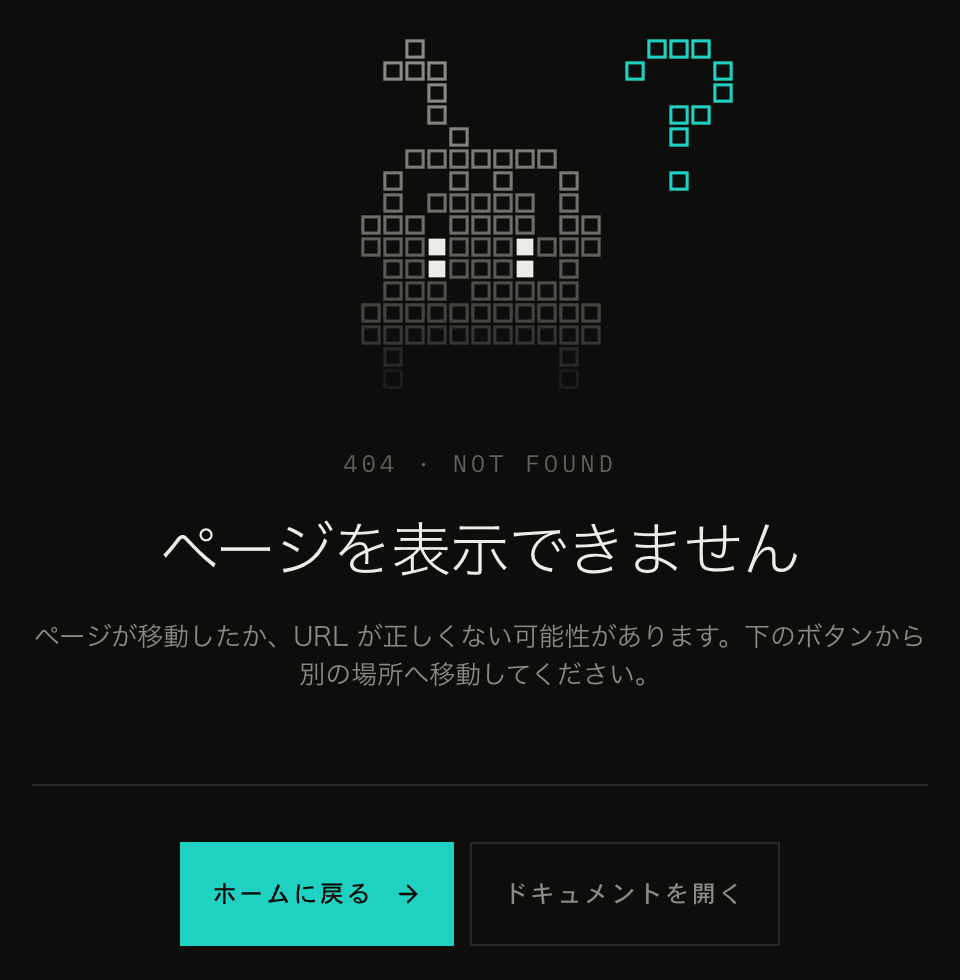
Even after the app switched to its current design, the 404 page still used the colors of the old design. There was no screen for errors while showing a page at all, so Next.js showed its built-in screen with a short line of English text.
Drawing only the outline
Friko is a pixel-art character with a pendulum on its head and a pair of headphones. In the code, the picture is stored as rows of characters, where each character is one dot. The body dots are filled with the accent color (the theme color users can choose), and the eyes and the pendulum and headphone lines use other colors.
On the 404 page, we don't fill the dots. Each one is drawn as a hollow square instead, which gives an outline-only, see-through look.
<rect
  x={pixel.x + inset}
  y={pixel.y + inset}
  width={1 - inset * 2}
  height={1 - inset * 2}
  fill="none"
  stroke="currentColor"
  strokeWidth={STROKE}
/>Our first version traced only the outer edges of the body. But the gaps between the headphones and the body produced inner outlines too, the lines got tangled, and it no longer looked like Friko. Drawing a square per dot keeps the shape of the original pixel art.
Making it look like it's fading
Three things make Friko look like it's fading away. They are the same on the 404 page and the error screen.
- The lower the dot, the fainter it is. The opacity is 1 at the top of the head and 0.12 at the feet, falling off with the square of the height, so Friko fades from the bottom up
- 6% of the body dots are left out, so the body looks patchy. The pendulum and headphone lines are thin and become unrecognizable with gaps, so only body dots go missing
- 35% of the dots slowly flicker, each on its own cycle of 2.4 to 6.4 seconds
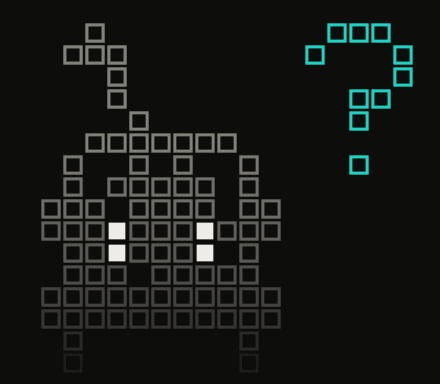
Which dots go missing and which ones flicker is decided from each dot's coordinates, not at random. With random picks, the HTML rendered on the server and the result rendered again in the browser would differ. Using the coordinates keeps them the same, and the gaps don't change every time you open the page.
const hashOf = ({ x, y }: FrikoPixel) => {
  const seed = Math.sin(x * 12.9898 + y * 78.233) * 43758.5453;
  return seed - Math.floor(seed);
};Only the eyes stay filled, and they blink once every 5 seconds. A question mark floats next to the head, and the whole figure drifts up and down on a 4-second cycle, so Friko looks lost.
The motion uses SVG <animate>, so it can live entirely inside the component without writing CSS @keyframes. However, <animate> ignores the reduced motion setting (prefers-reduced-motion). So we check the browser's setting ourselves and leave out <animate> when it's on. Until the setting is known (for example, during server rendering), a still image is shown.
A crying Friko for errors
When an error occurs while showing a page, Friko appears crying, with "TT" eyes (an emoticon for tears). The mark next to its head is an exclamation mark.
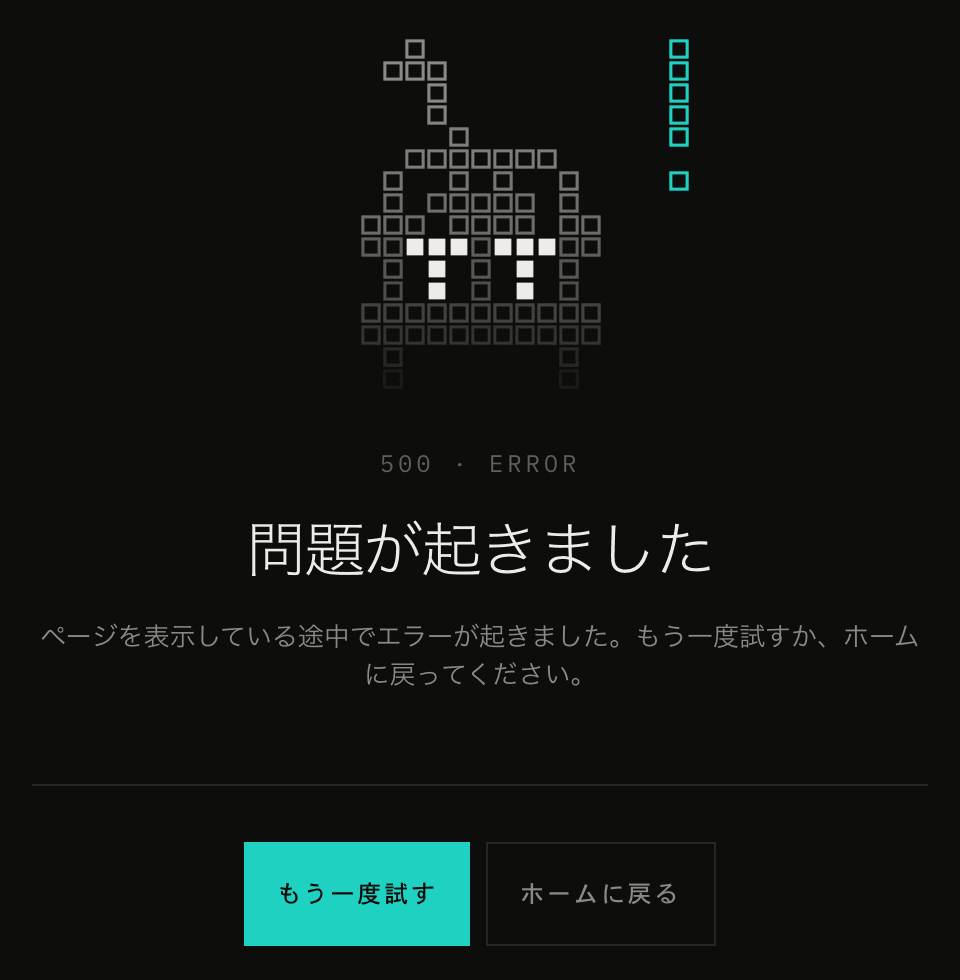
The "TT" is drawn by placing one T at each eye. Each T is a 3-dot bar centered on the column of the original eye dot, with a 2-dot stem running down from it. Body dots in the 3×3 cells around each eye are not drawn, so the eyes don't get lost among the hollow squares.
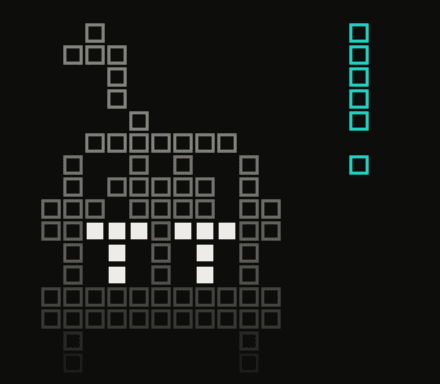
At first the eyes were "><", and we changed them to "TT". The mark next to the head also started out as a drop of sweat. At just a few dots in size, though, the drop looked like a flame, so we changed it to an exclamation mark to pair with the question mark on the 404 page.
On the error screen, Friko doesn't drift like on the 404 page. It stays still and gives a little shiver every 3 seconds.
There are two error screens
Next.js lets you add two error screens.
app/error.tsxcatches errors thrown inside a page. It renders inside the layout that wraps every page (the root layout), so translations and themes work as usualapp/global-error.tsxappears when an error occurs in the root layout and the layout itself can't be shown. It renders in place of the layout, so it has to provide its own<html>and<body>
Since Next.js 16.3, both receive retry, a function that fetches the page's data again and re-renders it. The Try again button calls it.
global-error.tsx renders outside the translation (next-intl) and theme (next-themes) providers, so it works out the text, theme, and accent color on its own.
- Text: the strings for both error screens are split out of the app's full translation file into a separate JSON file, which
global-error.tsximports directly. The language comes from the cookie for the language the user chose in the app, or from the browser's language if there is none - Theme: it reads the theme (light or dark) that next-themes keeps in localStorage and sets
data-themeon<html> - Accent color: it reads the cookie for the color the user chose and sets
data-accent
We split the strings into their own JSON file because importing the app's full translation file in global-error.tsx would load a large file just for the error screen. In error.tsx, which renders inside the providers, this JSON file is loaded together with the other translations.
When an error occurs, error.tsx and global-error.tsx send its details to our logging service.
The three screens (404, error.tsx, and global-error.tsx) are built from the same component. Only Friko's expression, the text, and whether the most prominent button is a link home or Try again differ.