We released a forum on Metronome.fm where people can talk about practice. Threads and replies can be written in Markdown.
Anyone who is signed in can write a post, and that post is displayed in the browser of whoever opens it. Even if someone writes a malicious post, nothing should run in the reader's browser, and opening a thread shouldn't leak information to anyone. This post covers how the post field works, how we decided what to display and what not to, and how a quote nested thousands of levels deep made the page fail to display.
The editor and the preview
Like a GitHub comment, the post field switches between "Write" and "Preview" tabs. The preview uses the same component that displays the thread after posting, so what you see in the preview is exactly what gets posted.
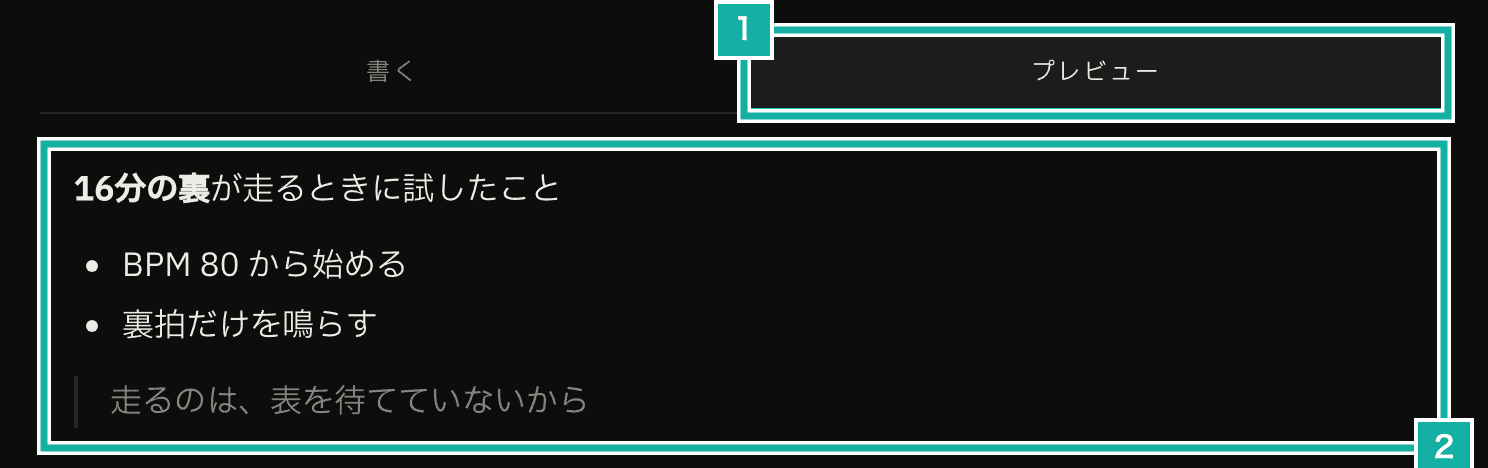
- The Write and Preview tabs
- The preview, displayed by the same component as a published post
We convert Markdown with react-markdown, and remark-gfm lets people write tables, strikethrough, task lists, and automatic URL links. In Markdown, a single line break is normally ignored and the line joins the one before it. With remark-breaks, a single line break is shown as a line break. We wanted writing a post to feel the same as writing a GitHub comment.
HTML written in a post isn't displayed
Markdown lets you write HTML tags as is. If <script>, or an <img> with onerror (which runs when the image fails to load), is displayed as is, a script runs in the reader's browser.
The forum never displays HTML written in a post. react-markdown's skipHtml drops the HTML parts. We also don't use dangerouslySetInnerHTML, which inserts HTML as is, or rehype-raw, which lets HTML be displayed. Another approach is to allow HTML and strip only the dangerous parts, but a single gap in that stripping lets someone run a script. If we never display HTML in the first place, we don't have to worry about gaps.
On top of that, the HTML elements generated from Markdown (tags like p and a) are limited to the ones on an allowlist. For any element not on the list, the tag is dropped and only the text inside it is kept.
const ALLOWED_ELEMENTS = [
  "p", "br", "strong", "em", "del", "a", "ul", "ol", "li",
  "blockquote", "code", "pre", "hr", "h1", "h2", "h3", "h4", "h5", "h6",
  "table", "thead", "tbody", "tr", "th", "td", "img",
  "input", // checkboxes in task lists (- [ ])
];

<Markdown
  remarkPlugins={[remarkGfm, remarkBreaks, remarkLimitDepth]}
  skipHtml
  allowedElements={ALLOWED_ELEMENTS}
  unwrapDisallowed
  components={components}
>
  {markdown}
</Markdown>The unit tests display posts containing things like <script>, <iframe>, a script inside <svg>, style attributes, and <details> with ontoggle, then check that nothing able to run a script is left in the resulting HTML. The E2E test, which operates the page in a real browser, also displays a post containing <script> and a javascript: link, in both the preview and the posted thread, and checks that no script runs.
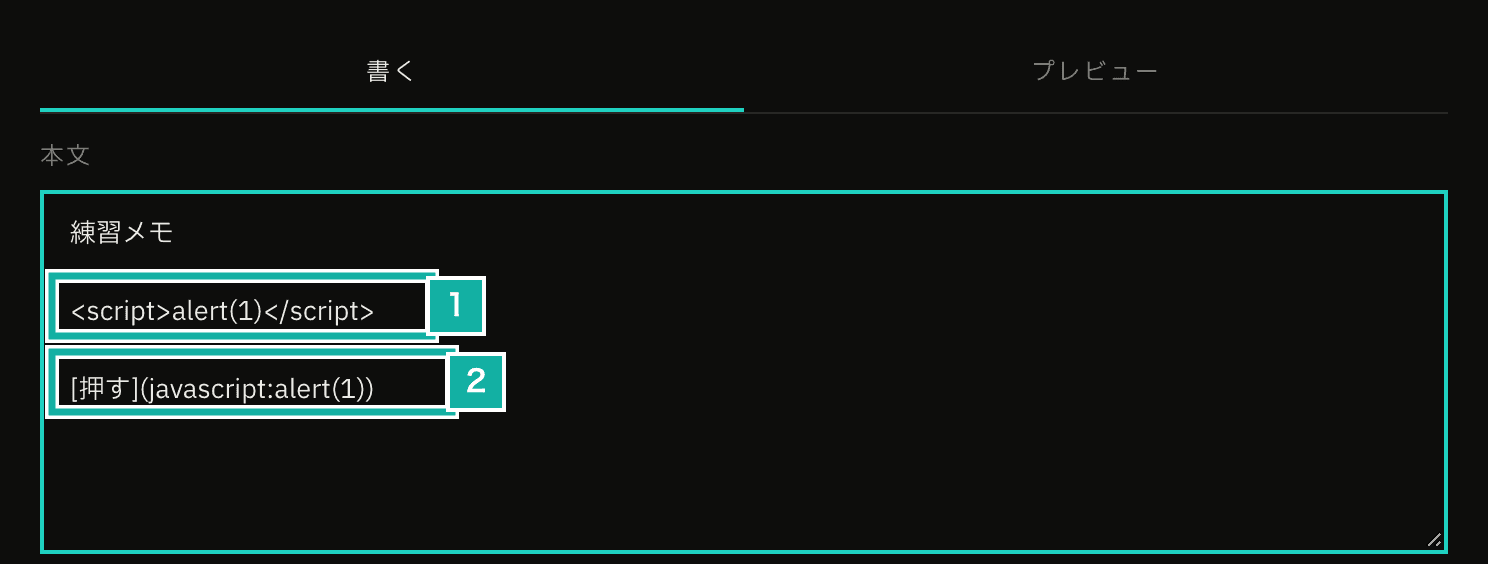
- A script tag
- A link whose target is javascript:
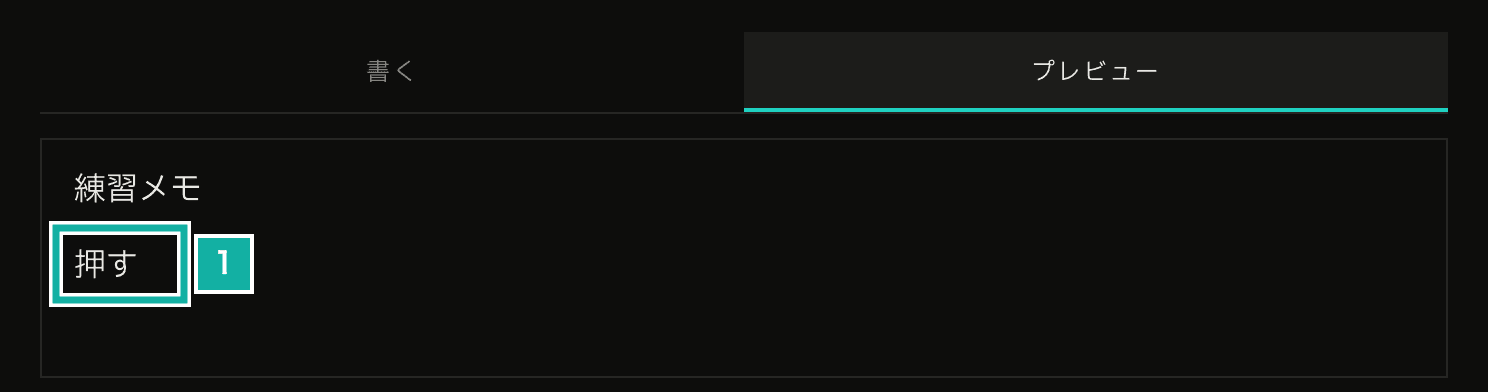
- Shown as plain text, not a link. The script tag line isn't displayed at all
Limiting where links can go
The URL in a Markdown link [text](URL) is also up to the writer. If a URL starting with javascript: or data: becomes a link, clicking it can run a script in the reader's browser.
react-markdown already filters URLs out of the box (urlTransform). But it allows http(s), mailto, irc, xmpp, and relative URLs. A URL starting with //, like //evil.example, is allowed as a relative URL, yet the browser reads it as pointing to another site. So the component that displays links checks the URL again. Only the following are allowed. Anything else is shown as plain text instead of a link.
- http(s) and mailto
- Paths within the site (starting with
/, but not with//or/\) #anchors within the page
Before deciding whether to allow a URL, we strip control characters and spaces at either end of it, plus tabs and line breaks anywhere in it. Browsers ignore these when they read a URL. Without stripping them, a URL like java\tscript: (\t is a tab) would get past the check and still be read by the browser as javascript:.
const LEADING_OR_TRAILING_CONTROL = new RegExp(
  String.raw`^[\u0000- ]+|[\u0000- ]+$`,
  "g",
);
const TAB_OR_NEWLINE = /[\t\n\r]/g;

export const sanitizeForumUrl = (url: string): string | null => {
  const trimmed = url
    .replace(LEADING_OR_TRAILING_CONTROL, "")
    .replace(TAB_OR_NEWLINE, "");
  if (trimmed === "") return null;

  if (trimmed.startsWith("#")) return trimmed;
  // Browsers read // and /\ as another host, so reject them
  if (
    trimmed.startsWith("/") &&
    !trimmed.startsWith("//") &&
    !trimmed.startsWith("/\\")
  ) {
    return trimmed;
  }

  try {
    const parsed = new URL(trimmed);
    if (!ALLOWED_PROTOCOLS.has(parsed.protocol)) return null;
    // https://metronome.fm@evil.example/ is used to disguise where a link goes
    if (parsed.username || parsed.password) return null;
    return parsed.href;
  } catch {
    return null;
  }
};We also reject URLs with a username, like https://metronome.fm@evil.example/. If you only look at the start, it looks like a link to metronome.fm, but it actually goes to evil.example.
Links to other sites open in a new tab with rel="nofollow ugc noopener noreferrer". Of these, nofollow and ugc are there so that spam posts that only exist to drop links don't gain search ranking from links on this site. ugc tells search engines that the link was written by a user.
No images from other servers
For a Markdown image , the reader's browser fetches the image even when the URL points to another server. That request sends the reader's IP address and the time they opened the page to that server. By posting a 1-pixel image, the writer could collect when and from where the thread was opened.
So we don't load images from other servers, and show the text "Image: description" instead. People can also upload images to the forum, and uploaded images are stored in a fixed location under names that follow a fixed format. Only images that match this location and name format are displayed. Even those go through Cloudflare's image transformations, which resize them and strip their metadata, before they're shown.
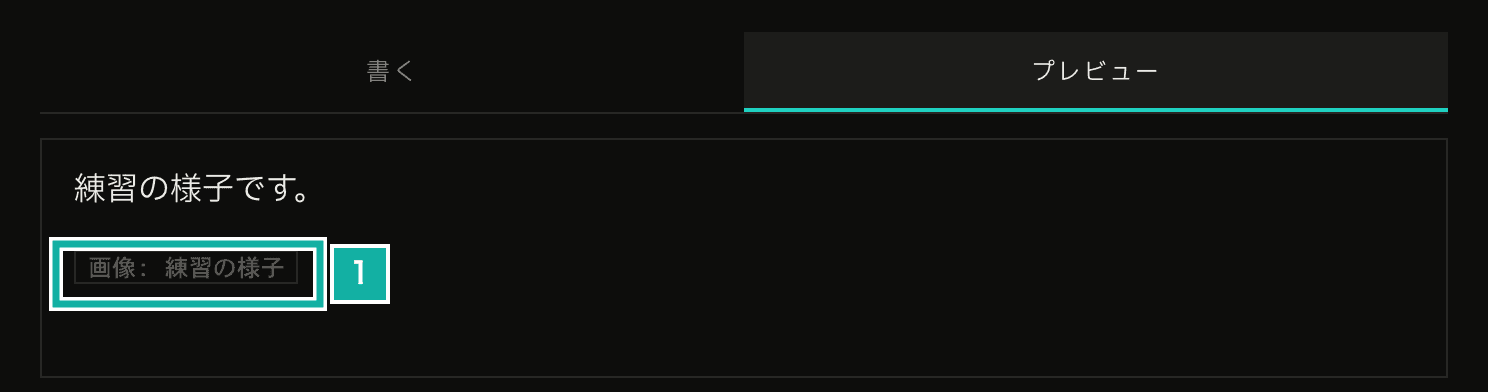
- Text shown in place of the image
Headings are lowered to h3 and h4
On a thread page, the h1 is the thread title. If a post adds its own h1 with #, the page's heading structure gets out of order, and people who use a screen reader to jump between headings get lost.
Headings inside a post are displayed as h3 or h4. # and ## become h3, and ### and below become h4. Although both are h3, # uses slightly larger text than ##, so the writer can still tell large headings from small ones.
A quote nested thousands of levels deep made the page fail to display
Posts can be up to 5,000 characters. When we tried displaying a post filled to that limit with >, the page failed to display. A single post could make a thread impossible to open, which makes it a tool for harassment.
Stacking > puts a quote inside a quote, again and again, nearly 5,000 levels deep. Displaying Markdown walks the syntax tree built from the post recursively, so when the nesting is too deep, the calls pile up and the stack runs out.
So we wrote a remark plugin (remarkLimitDepth) that keeps the nesting in the syntax tree to 24 levels. Anything deeper than 24 levels is flattened into a single paragraph containing just its text. Posts almost never nest quotes or lists 24 levels deep, so everyday posts look the same as before.
export const MAX_MARKDOWN_DEPTH = 24;

export const limitMarkdownDepth = (tree: MarkdownNode) => {
  // Walk the tree with our own stack instead of recursion
  const stack = [{ node: tree, depth: 0 }];
  while (stack.length > 0) {
    const entry = stack.pop();
    if (!entry) break;
    const { node, depth } = entry;
    if (!node.children) continue;
    if (depth >= MAX_MARKDOWN_DEPTH) {
      // Flatten anything too deep into one paragraph of its text
      node.children = [
        {
          type: "paragraph",
          children: [{ type: "text", value: collectText(node) }],
        },
      ];
      continue;
    }
    node.children.forEach((child) =>
      stack.push({ node: child, depth: depth + 1 }),
    );
  }
};A step meant to make deep trees shallow would be pointless if deep trees crashed it. So both the plugin and the code that gathers the text inside walk the tree with their own stack instead of recursion.
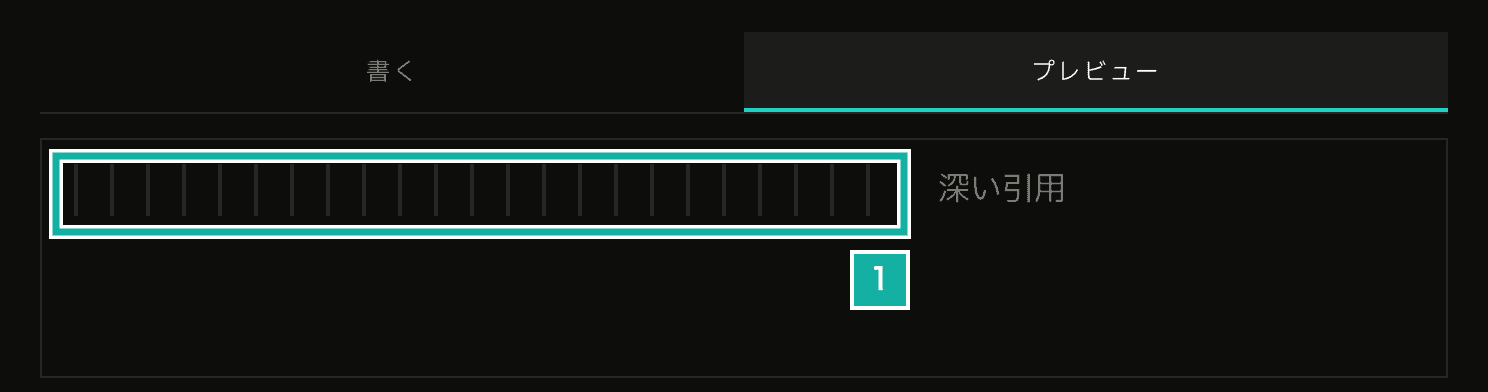
- The quote bars stop at 24 levels, and everything deeper is collapsed into text
Besides deep quotes, the unit tests display other inputs that could be heavy: deep lists, quotes mixed with lists, unclosed emphasis markers, brackets, links, and backticks, and a table with many columns, each filling the 5,000-character limit. They check that each one displays in under 3 seconds without crashing, and that text in parts that are too deep is kept rather than thrown away.