We ran Cloudflare's security audit skill (security-audit-skill) on Metronome.fm. It raised two items that needed checking ("needs validation"). We checked both by hand and made improvements the same day.
The first was what the pages we store on the device for offline use contain, and how they get cleared. The second was where we kept the token used to send error logs. Neither involved users' account information or payment details.
This post covers what the skill is, how we ran it, and how we checked and fixed the two items it raised. At the end, we give our take on whether it was worth doing.
What security-audit-skill is
It is an Agent Skill (a bundle of instructions and reference material for an agent to read) that has a coding agent perform a security audit. Cloudflare published it on June 18, 2026, the same day as its blog post "Build your own vulnerability harness". According to Cloudflare, its internal vulnerability discovery system (the harness) grew out of this skill. The workflow and the validation steps were reworked in September, and the license is MIT.
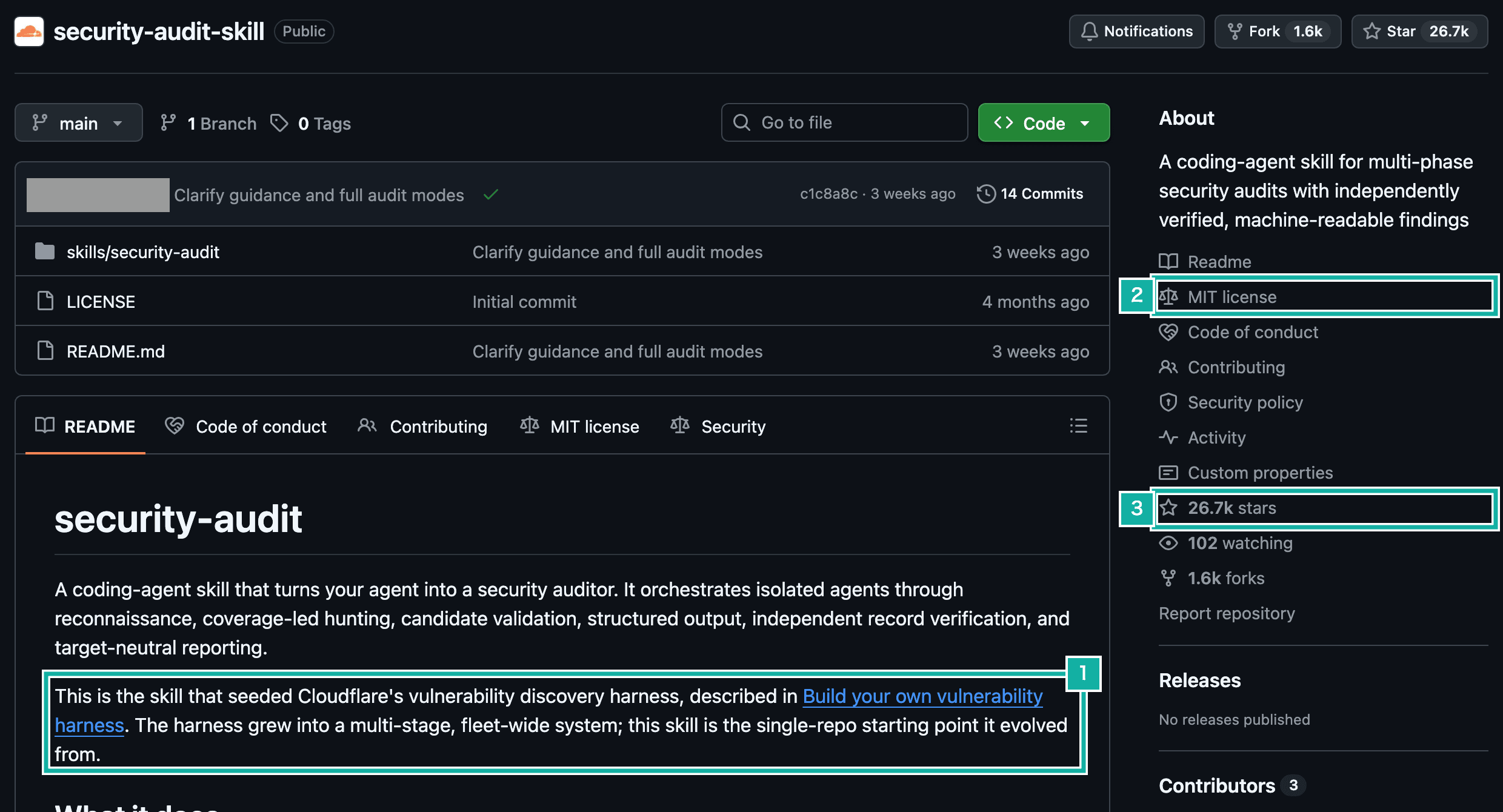
- The README says this skill is where the internal harness started
- The license is MIT
- About 26,700 stars
Its defining feature is that the agent that finds a problem is never the one that checks it.
- Reconnaissance: four agents study the product, permissions, entry points, and runtime, and lay out every combination of entry point (where outside input comes in) × trust boundary (where permissions change) × attack class, each as one "unit", in a "coverage ledger" (JSON)
- Hunting: the ledger's units are handed out to separate agents (hunters) to investigate
- Validation: each candidate a hunter reports goes to a different agent, one that did not find it, which tries to disprove it
- Reporting: results are written as JSON in a fixed format, checked with the bundled scripts, and only then turned into a report
Candidates end up in one of three states. Only a candidate whose result was actually observed by running code locally is "confirmed". If the path can be traced in the source but a decisive fact (such as a production setting) is unknown, it stays as "needs validation", together with a plan for checking it. Candidates that are disproved are "rejected".
How we added it
You use the skill by placing it in the repository's .claude/skills/. Metronome.fm already had a security review skill of our own, and it had the same name, security-audit. Left as is, which one gets picked would depend on how we phrased the request, so we renamed Cloudflare's when adding it.
---
name: cloudflare-security-audit # originally security-audit
description: Security guidance and vulnerability review for codebases, ...
---The name is the only change. The version we added is pinned to a specific commit of the original repository. Before adding it, we also read the bundled validation scripts to confirm they don't write files or make network requests.
Running it in quick mode
The skill has three levels of coverage (profiles): quick, standard, and deep, with standard as the default. Since this was our first run, we used the lightest one, quick. It does one round of hunting and finishes with one coverage review. We capped the number of agent calls at 25 (the skill calls this the budget) and left out the CLI we write in Rust.
Step | Agents |
|---|---|
Reconnaissance | 4 |
Hunters | 11 |
Final coverage review | 1 |
Candidate validation | 2 |
Total | 18 |
The agents run in parallel. Each reconnaissance agent took up to three and a half minutes, and each hunter took one to three minutes. These agents used about 2.7 million tokens in total.
If the skill runs any of the target's code, it requires an OS-enforced sandbox: no outside network, an empty environment, limits on memory and disk, and so on. On macOS we had no way to have the OS enforce memory and disk limits or isolate the network, so this time we ran none of the code and only read the source. As a result, nothing could reach "confirmed". Every candidate ends up as either "needs validation" or "rejected".
In the ledger, 34 units came back clean, 2 had candidates, and 2 were deferred. Deferred units are ones the final coverage review said should be checked, but that were left for a later run because quick doesn't send out another round of hunters. There were also 16 hardening suggestions that are not vulnerabilities, such as adding rate limits. Both candidates were re-read by a separate agent, and both were judged "needs validation".
Item 1: what offline pages contain and how they get cleared
To keep Metronome.fm usable offline once it has been opened, a Service Worker stores the page HTML on the device. That page was a copy of the screen as the signed-in person saw it. The HTML included things like their list of saved settings.
We did clear the stored pages when the signed-in person changed. But that code runs inside the page and waits for Clerk (our sign-in service) to load. What the skill raised was this: if the session is revoked from another device and that device is then opened offline, does the page escape that clearing and show as it was before the revocation? It only applies in a narrow case, where someone stays signed in on a shared device and walks away.
We checked with an E2E test (a test that drives a browser automatically). It signs in as a test user, opens a private setting, and waits for the page to be stored on the device. It then revokes the session through Clerk's backend API, goes offline, and opens the page again.
const { data: sessions } = await clerk.sessions.getSessionList({
  userId: user.clerkId,
  status: "active",
});
await Promise.all(
  sessions.map((session) => clerk.sessions.revokeSession(session.id)),
);

await context.setOffline(true);
await page.goto(`/${setting.id}`);The result: the page from before the revocation showed up as is. It was the HTML the Service Worker had stored on the device.
We considered three fixes.
- Don't cache anything specific to a user
- Put an expiry on pages stored while signed in
- Leave it as a known limitation
A device that is offline has no way to learn that its session was revoked from another device. With an expiry, the same thing would still happen until it ran out. So we decided not to store anything user-specific at all.
The Service Worker now fetches the pages it stores from the server without sending cookies. That gives the signed-out version of the page, which is the same no matter who opens it. The language that used to travel in a cookie no longer arrives, so we pass the current page's language in Accept-Language.
export const pageShellRequestInit = (locale: string): RequestInit => ({
  credentials: "omit",
  headers: { "accept-language": locale },
});We also renamed the cache that holds these pages so the old pages left on people's devices are removed when the app updates. The trade-off is that, offline, you can no longer open your list of saved settings or your private settings. Playing the metronome works as before.
Item 2: where the logging token lived
We send error logs to Better Stack. Server logs and browser logs go to separate sources (log destinations), and our alert counts only errors in the server source.
The server source's token was in an environment variable called NEXT_PUBLIC_BETTER_STACK_SOURCE_TOKEN. Next.js writes environment variables starting with NEXT_PUBLIC_ into the browser JavaScript at build time. The library we use (@logtail/next) also reads the name without the prefix (BETTER_STACK_SOURCE_TOKEN), but if the NEXT_PUBLIC_ name is set, it uses that one first. Browser logs originally went to the same source, so handing this write-only token to the browser was by design. After we split browser logs into their own source, the variable kept its name.
In other words, by reading the token from the page's JavaScript, someone could write logs to the server source. The token can't read logs and can't touch any user data. It could, however, be used to trigger our alert with fake error logs.
We built the production bundle locally and checked the browser JavaScript, and the token was there verbatim. We fixed it as follows.
- Keep the token in
BETTER_STACK_SOURCE_TOKEN, which only the server reads - The browser sends logs to a relay API on the same domain without any token. The relay adds the server's token and forwards them to Better Stack
- Whether the browser sends logs at all is decided by a value that only says whether the token exists (it contains no secret)
env: {
  NEXT_PUBLIC_BETTER_STACK_CUSTOM_ENDPOINT: "/api/betterstack/logs",
  NEXT_PUBLIC_BETTER_STACK_ENABLED: String(
    Boolean(
      process.env.BETTER_STACK_SOURCE_TOKEN &&
        process.env.BETTER_STACK_INGESTING_URL,
    ),
  ),
},After deploying, we fetched the 41 JavaScript files the production pages load and confirmed the old token was not in any of them.
JavaScript that has been published, though, stays in CDNs and in people's browsers. The old token also had to be invalidated, but Better Stack's source page has no way to regenerate a token. The only actions are Pause and Remove.
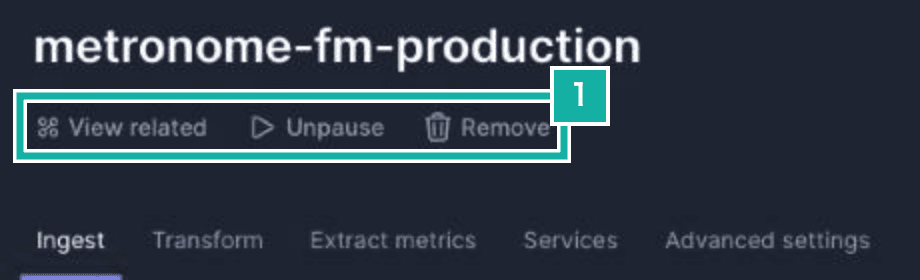
- The only actions on a source are view related, pause (resume once paused), and remove
So we created a new source for the server and put its token into the production environment variables. We paused the old source so it no longer accepts logs. A paused source can't be written to, and its past logs stay readable.
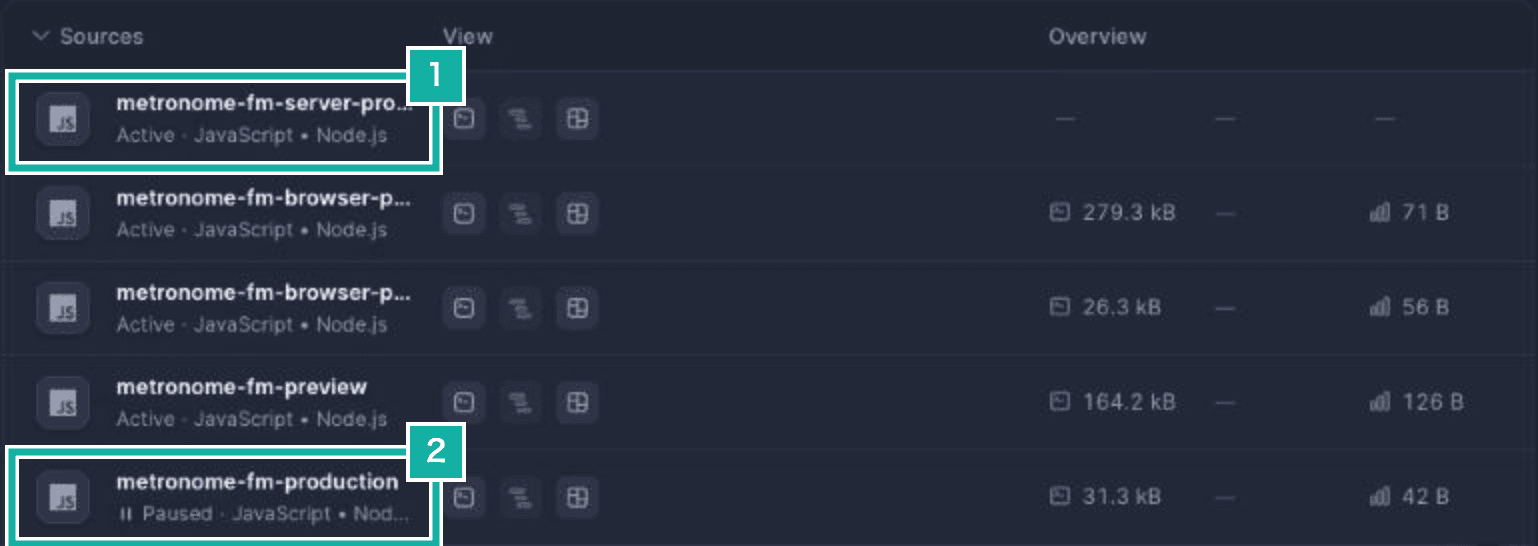
- The newly created server source
- The old source, which no longer accepts logs
Each alert stores which source's logs it counts. We pointed ours at the new source and kept the threshold (3 or more in 5 minutes) the same.
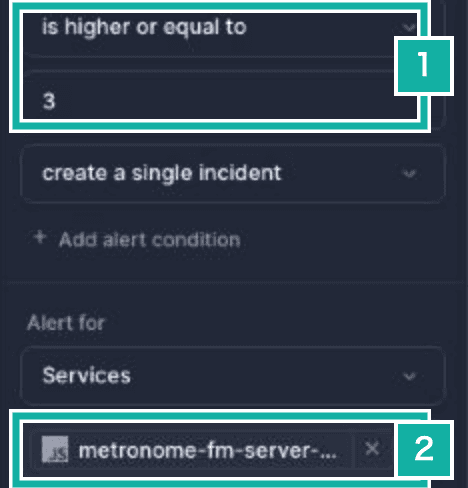
- The threshold is unchanged
- The alert now counts the new source
Finally, we checked where logs now arrive. The production API that receives CSP violations (rules about what a page may load and connect to) sends each violation to Better Stack as a server log. We sent one test report to it and confirmed the warning arrived in the new source and nothing arrived in the old one.
Was it worth doing?
We think it was. The reason is that it raised two improvements our own skill hadn't caught, and we were able to check both by hand.
We can explain why our own skill missed each one. Its checklist said that NEXT_PUBLIC_BETTER_STACK_SOURCE_TOKEN is a write-only token and that exposing it is by design. We never revisited that checklist assumption after splitting browser logs into their own source. Cloudflare's skill has no checklist like that. It works from combinations of entry point, trust boundary, and attack class. Because it wasn't carrying that assumption, we think it was able to notice that outsiders could write logs to the source our alert counts. As for the Service Worker issue, our skill's checklist leans toward the server side, and it never looked at data left on the device combined with session revocation.
The limits were clear too. On macOS the sandbox requirements can't be met, so nothing reaches "confirmed". We only knew the two items actually happened once we reproduced one with an E2E test and inspected the build output for the other. The skill gives you candidates with a plan for checking them, and it is easier to use once you accept that the checking is a person's job. The quick run cost about 2.7 million tokens.
Next time, rather than rerunning everything in standard mode, we plan to run it only on the two deferred units and the CLI. The skill reads the previous ledger and plans around the units it has already covered, so widening coverage a little at a time, in narrow slices, seems like a good fit.