"Ask AI for BPM" searches the web when you enter a song title (or, after you measure the BPM of an audio file, its file name), then pulls BPM candidates out of the search results and lists them. I switched that extraction step from OpenAI's gpt-5-mini to Clairic, which Cloudflare has just released. Clairic is a model built only to pull values out of text. A few more songs now get the correct BPM as the first candidate, and extraction takes about 0.4 seconds instead of more than 4.
What Clairic is
Clairic is a model Cloudflare released as a preview on October 19, 2026 (Cloudflare's blog post). It writes no text; it only extracts values of fixed types (text, numbers and so on) from its input.
You pass the text to read (the API field is called state) and the fields you want (fields). For each field you give a type, such as text, number, date, duration or list, and a description of what to extract.
{
  "state": "User input: YOASOBI アイドル\n\nSearch results:\n[1] Key, tempo & popularity of アイドル By YOASOBI | Musicstax\n…",
  "fields": {
    "bpm": { "type": "number", "integer": true, "instructions": "The BPM of the song named in the user input…" },
    "song_name": { "type": "text", "instructions": "The title of that song…" },
    "other_bpms": { "type": "list", "items": "number", "instructions": "Other BPM values for the same song…" }
  }
}What comes back is a value for each field, the probability that the input has no value (p_null), and a confidence. Since it generates no text, there is no JSON written by the model to parse. Cloudflare recommends pairing it with Clef, its decision model: Clairic extracts the values, Clef makes decisions from them, and an LLM writes text only where text is needed. For the decisions, Metronome.fm uses Jev, which it already used (more on it below), rather than Clef.
It costs $0.10 per million input tokens, and no output price is listed. Clairic is a Workers AI model, so it can be called as is through Cloudflare's AI Gateway, which Metronome.fm already uses to call its other AI models.
Extracting the BPM from search results
"Ask AI for BPM" works in three steps.
- Jev, a model that only makes decisions, checks whether the input can be searched as a song title or file name (inputs unrelated to songs are turned away with a prompt to rephrase, without using up your daily quota)
- The input plus "BPM" is searched on the web with Linkup (top 5 results)
- BPM candidates are extracted from the search results
I replaced the third step. Until now, gpt-5-mini wrote up to 10 sets of song title, artist and BPM as JSON.
A Clairic list can only hold text, numbers or dates, so sets of "title, artist, BPM" can't be listed. Instead, I take the BPM, title and artist of the single most likely song, plus a list of other BPMs for the same song (other versions, or half- and double-time tempos). The same song can be listed at double or half the BPM, depending on which note value is counted as one beat.
Where Clairic alone fell short
First I compared it with gpt-5-mini on 16 inputs: 13 song titles that many people are likely to search for, mixed with 3 recording file names. For 12 of the 13 songs, Clairic's first BPM was among gpt-5-mini's candidates. These were the misses.
It returns a BPM for inputs that aren't songs
Even for recording file names like "practice take 2" and "20261008_練習" (a date plus "practice"), Clairic returned a BPM. It picked up "60 BPM" from a metronome page in the search results, with a confidence as high as 0.83. Clairic only extracts values from the text, so it doesn't judge whether a value is the BPM of the song that was asked for.
So I also ask Jev whether the search results give the BPM of the song asked for. Jev answers a yes-or-no question with the probability of yes. It runs at the same time as Clairic, so it adds almost no waiting. Jev's probability of yes was 0.98 or higher for the 13 songs and 0.00 for the 3 file names that aren't songs, a clear split. If yes is below 0.5, the candidates are cleared.
Misread BPMs
For "01 Bohemian Rhapsody (Remastered 2011)", it answered 744 BPM with a confidence of 0.12, while correct extractions were 0.46 or higher. So the first BPM is discarded when its confidence is below 0.3. The list of other BPMs also comes with a confidence for each value, and each one below the same 0.3 is discarded.
Taking song titles from URL text
The song title is shown on screen too. For "YOASOBI アイドル", Clairic answered "aidoru". The result titles said "アイドル", but it took the text of the songbpm.com URL (/@yoasobi/aidoru-…) as the title. The app now removes URLs from the text passed to Clairic. With them removed, the titles came out as written in the result titles, such as "アイドル", "Lemon" and "夜に駆ける".
Comparing on 49 songs with known BPMs
Checking whether the answers match gpt-5-mini doesn't tell you which one is right. For songs with known BPMs, I used 49 tracks by Kevin MacLeod, a composer who has released many royalty-free tracks (he also publishes their BPMs). I asked for "Kevin MacLeod [title]", and both models got the same search results. The first four rows of the table don't overlap and add up to 49 songs. "Correct BPM somewhere in the candidates" is a separate count that includes the second and later candidates.
gpt-5-mini | Clairic + Jev | |
|---|---|---|
First BPM correct (±2) | 29 | 33 |
Half or double tempo | 8 | 7 |
Wrong BPM | 7 | 3 |
No candidates | 5 | 6 |
Correct BPM somewhere in the candidates | 40 | 38 |
Extraction time (median) | 4,322ms | 408ms |
Clairic + Jev got 4 more right and gave a wrong BPM less than half as often. A wrong value may be taken as correct and used. With no candidates, you can search again with different wording. On the other hand, gpt-5-mini lists more versions, so it had slightly more songs with the correct BPM somewhere in its candidates.
The correct BPM appeared in the search result text for about 39 of the 49 songs. For the other 10 or so, neither model could have got it right. Also, these 49 are royalty-free tracks, not songs many people search for. Comparing the first 16 inputs again with all the fixes above in place, Clairic + Jev matched gpt-5-mini on 14.
Cost
I worked out the cost of one request by dividing the costs in the AI Gateway logs from our development environment. The extraction cost depends on the length of the search results, so I give ranges covering both the 16 inputs and the 49 songs.
Before | After | |
|---|---|---|
Input check (Jev) | $0.00002 | $0.00002 |
Web search (Linkup) | $0.005 | $0.005 |
Extraction | gpt-5-mini $0.001–0.0015 | Clairic $0.0004–0.0006 |
Decision on whether the song's BPM is present (Jev) | none | $0.00006–0.0001 |
Total | about $0.006–0.0065 | about $0.0054–0.0057 |
Extraction costs less than half as much, but most of the cost is the search, so the total differs by about 10%. Within a single call, Clairic reads the fields in 3 passes and reads all the search results each time. So the input for one extraction averaged about 5,000 tokens on the 16 inputs. Its low price still makes it cheaper than gpt-5-mini.
Because Clairic is in preview, if a call fails (a 429 or a network error), the server logs a warning and extracts again with gpt-5-mini. In the code, a single constant switches which of the two does the extraction.
Try asking AI for a BPM
Open it from AI › Ask AI for BPM in the app menu, or press A. Type a song or artist (up to 50 characters), then press Apply on a candidate to use that BPM. If you ask after measuring the BPM of an audio file, the file name is filled in, and a file name that contains the song title finds that song.
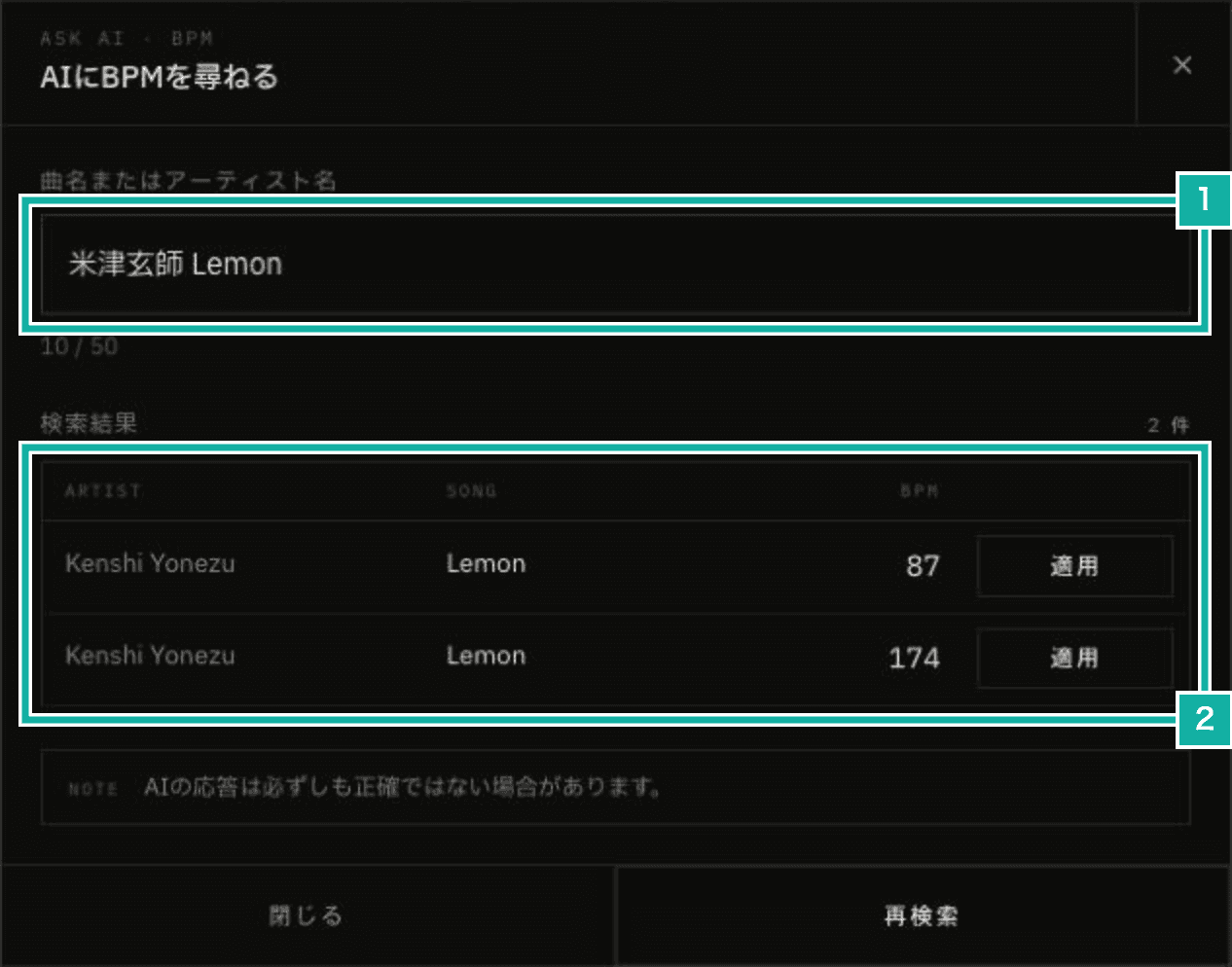
- Type a song or artist
- The candidate BPMs. Press Apply to use that BPM. 174 is double time
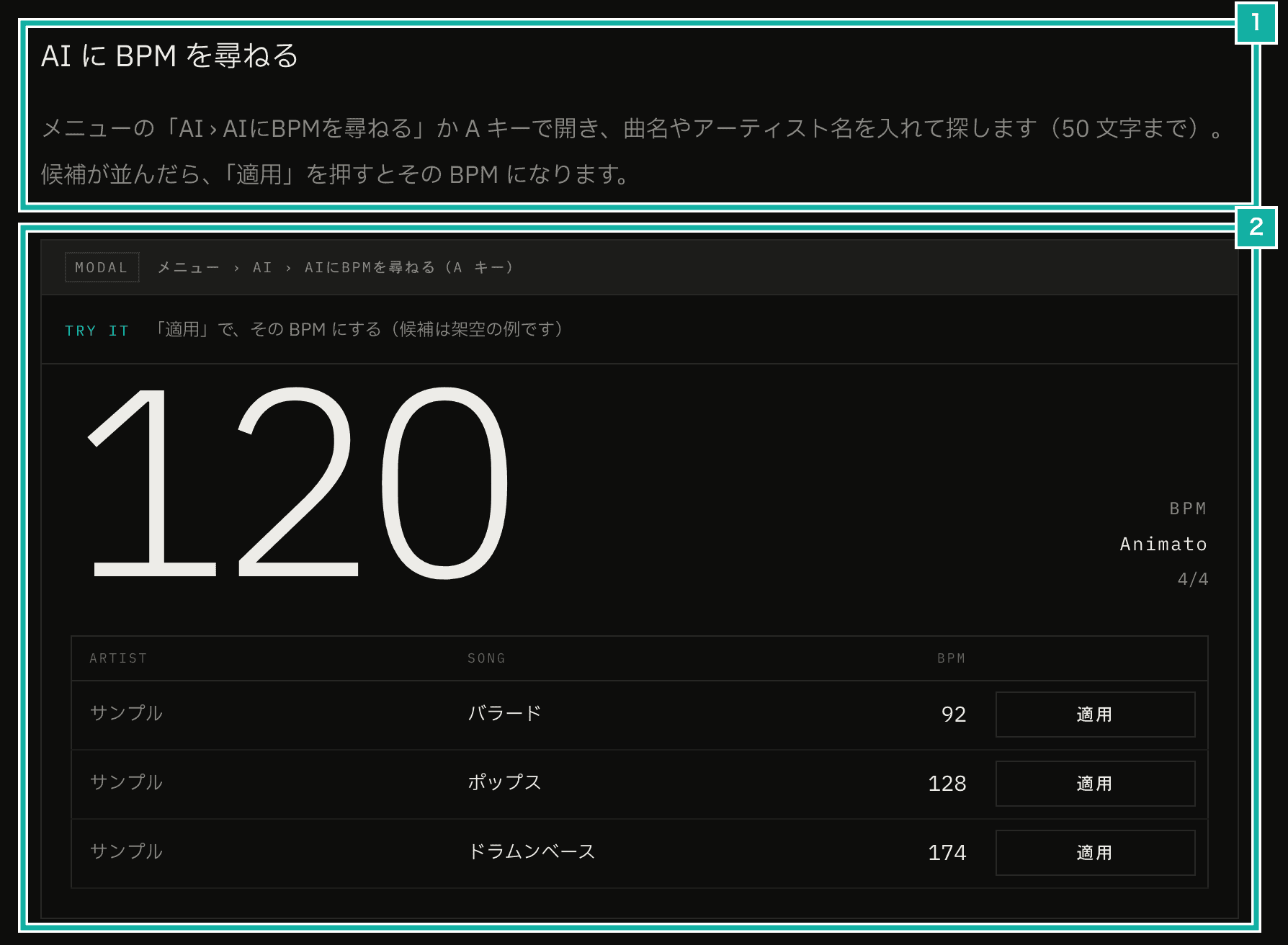
- How to open and use it
- A demo where you can try how Apply changes the BPM (the candidates are made-up examples)
How to use it is covered in the "Finding a BPM with AI and audio" chapter of the manual, which also explains how to measure the tempo of an audio file or of sound from your microphone.