You can now pick "Ring" under Beat display in Display Settings. A hand goes round once per bar and lights each beat mark it passes around the circle. Beats sit on the outer ring and the pattern's notes on the inner ring. With a polyrhythm, the two rhythms go on the outer and inner rings, and a line between the rings marks where they sound together.
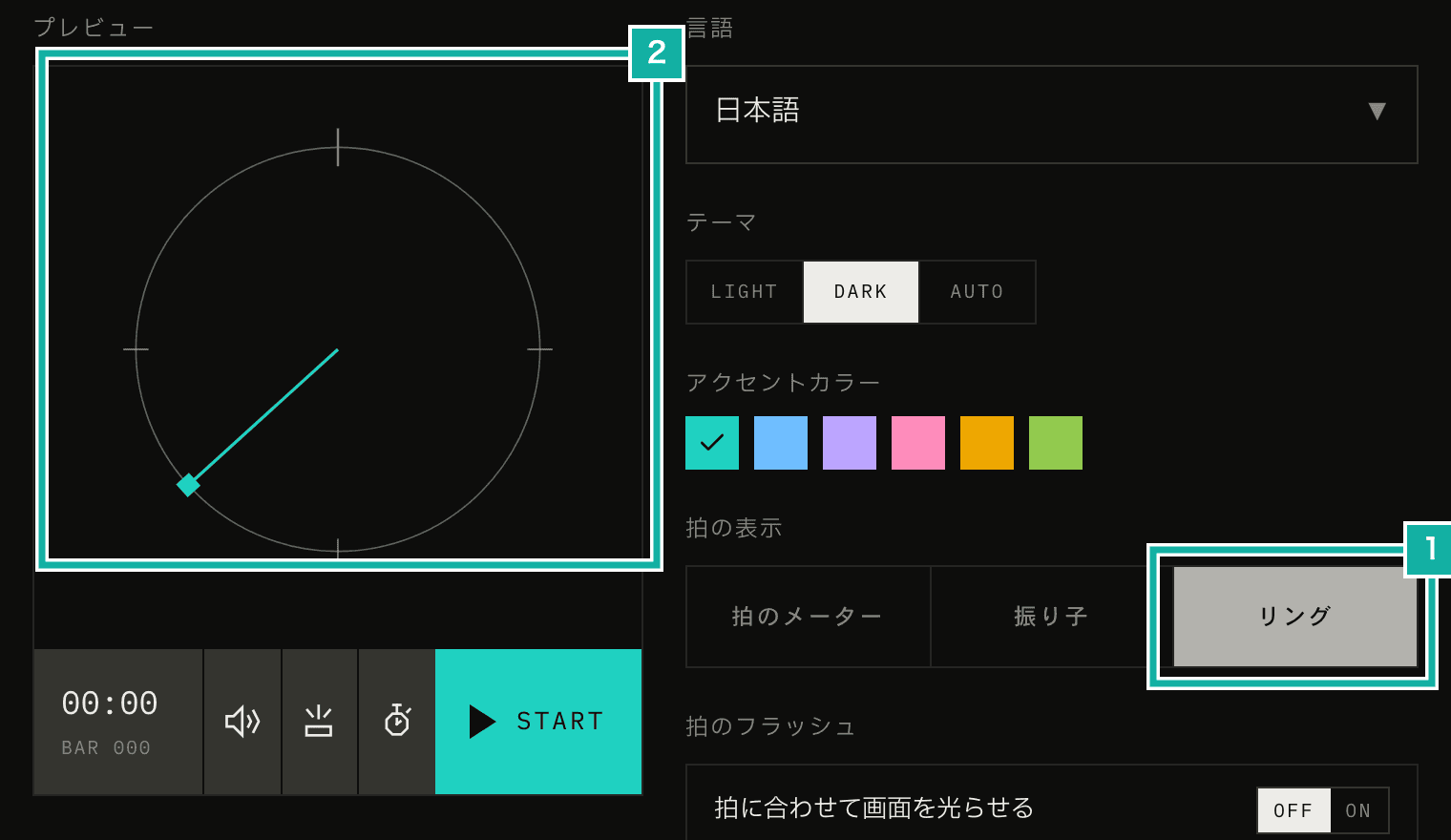
- Ring joins Beat meter and Pendulum
- The preview runs with the display you pick
In Metronome.fm, Pattern sets the guide notes played inside each beat (subdivisions, polyrhythms and custom beats). This post covers how those notes are laid out as marks on the rings, and how we made the hand and the audio count beats the same way, so the hand never drifts from the sound.
Beats on the outer ring, subdivisions on the inner ring
One turn is one bar. In 4/4, the beat marks sit at the top, right, bottom and left of the outer ring, and the hand turns clockwise from the top.
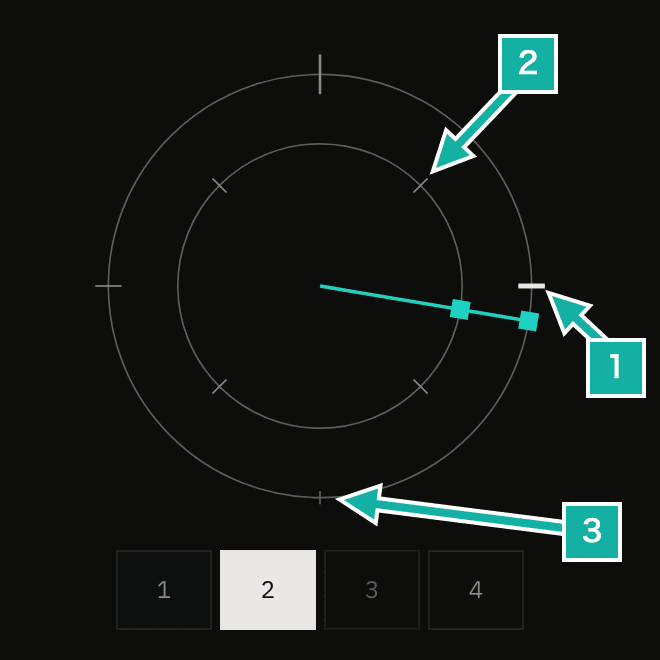
- The mark for beat 2. It lights up as the hand passes
- A mark on the inner ring, at the eighth-note off-beat
- Muted beats are drawn short and faint, and don't light up
The outer marks are short lines, like the ticks on a clock, and their length follows the beat's strength (accent, normal or muted): long for an accent, short for a muted beat. As the hand passes, accent beats light up in the app's highlight color (the accent color) and normal beats in the text color. Muted beats don't light up.
The inner ring shows where the guide notes of the selected pattern play. The audio code places each guide note with a function that returns how far after the start of the beat it sounds, in beats (from 0 up to, but not including, 1). The ring uses that same function: add the beat number to the value it returns and divide by the beats in the bar, and you get the position within one turn.
inner: accents.flatMap((_, index) =>
  getGuideNoteOffsets(guideNoteType, index, {
    polyrhythmRatio,
    swingRatio,
  }).map((offset) => (index + offset) / beatsPerBar),
),Custom beats (the pattern where you place notes on a grid that splits each beat into four cells) work the same way. The outer marks take the strength of the first cell of each beat, and the inner marks show where the other cells sound within the beat. Both kinds of marks come from the same calculation the audio uses to turn the grid into notes, so when swing pushes the off-beats later, the marks move with them.
A polyrhythm goes round once per cycle
An n against m polyrhythm plays n evenly spaced notes over m beats. On the ring, one turn is the m-beat cycle instead of the bar. The outer ring holds the m beat clicks and the inner ring the n notes of the other rhythm. The ratio is shown in the middle.
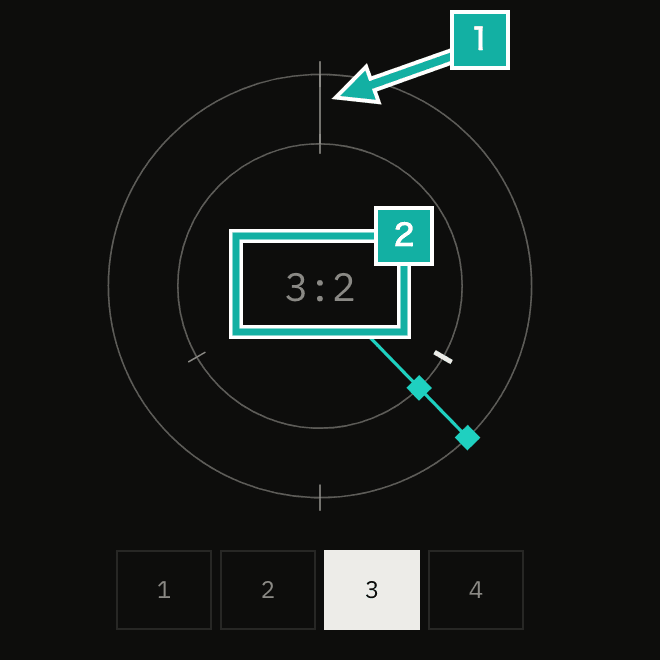
- Where both rhythms sound together. A line joins the two rings
- The polyrhythm ratio
if (guideNoteType === "polyrhythm") {
  const [notes, beats] = polyrhythmRatio;
  return {
    cycleBeats: beats,
    outer: Array.from({ length: beats }, (_, index) => ({
      position: index / beats,
      level: 1,
    })),
    inner: Array.from({ length: notes }, (_, index) => index / notes),
    centerLabel: `${notes}:${beats}`,
    countsTotalBeats: true,
  };
}All outer marks are drawn at the normal length, because a beat's strength depends on where it falls in the bar. Play 3 against 2 in 3/4, for example: the cycle (2 beats) and the bar (3 beats) differ in length, so the beat landing on a given mark is beat 1 of the bar on one turn and beat 3 on another. Instead, when the hand passes a mark, the way it lights up (highlight color or text color) follows the strength of the beat that just played.
The rings meet where i × m = j × n
The j-th outer mark sits at j / m and the i-th inner mark at i / n. They meet when i / n = j / m, that is, when i × m = j × n. For 3 against 2 that happens only at the start of the cycle. When the ratio can be reduced, as with 6 against 4, the 4 beats hold 3 against 2 twice over, so there are two meeting points (the number of meeting points is the greatest common divisor of n and m).
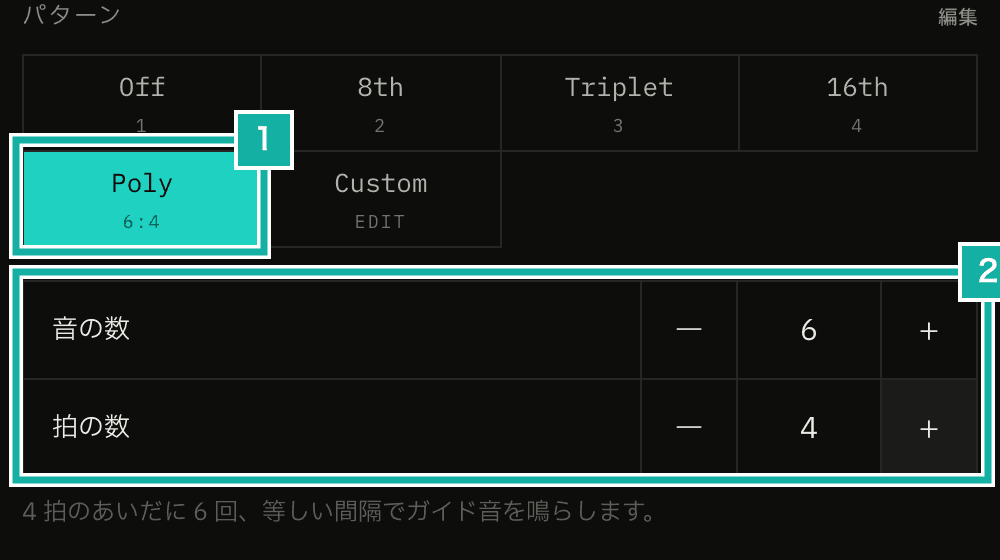
- The polyrhythm button. The selected ratio shows under it
- Notes and beats (2 to 9)
The mark positions are fractions from a division, so we treat two marks as meeting when they differ by a tiny amount.
const COINCIDE_EPSILON = 1e-6;

/** Inner-ring marks that meet an outer-ring mark (where both rhythms of a polyrhythm sound together) */
export const coincidentPositions = (outer: number[], inner: number[]) =>
  inner.filter((position) =>
    outer.some((other) => Math.abs(other - position) < COINCIDE_EPSILON),
);At each meeting point, a line runs from the inner ring to the outer ring and lights up in the accent color as the hand passes.
The hand counts beats the same way as the sound
The hand's position comes from the beat clock: the current beat and how far into it we are (0 to 1). The beat clock is the part that works out where we are in the beat from the beat notices sent by the audio thread and the audio clock. When one turn is one bar, the beat number within the bar is enough.
For polyrhythms it isn't, because playing 3 against 2 in 3/4 makes the cycle (2 beats) run across the bar line (3 beats). So the audio counts the polyrhythm cycle by the running beat number since playback started, not by the beat number within the bar. Beat 1 of the second bar is the 4th beat overall, so it is beat 2 of a 2-beat cycle. Placing the hand by the beat number within the bar would treat it as the start of the cycle, and the hand would drift away from the sound.
The beat clock does keep its own count of beats since playback started, but we couldn't use it, because it also counts the count-in (the lead-in beats before playing starts). So we added the running beat number to the notice that the sequencer (the part that keeps time and plays the sounds, running on the audio thread) sends for each beat.
emit({
  type: "beat",
  time: beatTime,
  beat: currentBeat,
  bar: barCount,
  totalBeat: totalBeatCount,
  interval: beatDuration,
  pulses,
});It's the same value the audio counts with, so even when the count restarts as multi-track switches tracks, the hand and the sound agree. Count-in beats have no running number, so during the count-in we use the beat number within the bar instead.
const index = layout.countsTotalBeats
  ? (beat.totalBeat ?? beat.beat)
  : beat.beat;
const beatInCycle = ((index % cycleBeats) + cycleBeats) % cycleBeats;
return {
  position: (beatInCycle + beat.progress) / cycleBeats,
  count: beat.count,
  level: accents[beat.beat] ?? 1,
};Each frame only updates SVG attributes
Like the Pendulum beat display, the hand and the lit marks are drawn every frame with requestAnimationFrame. React doesn't re-render; we only change the transform and opacity of SVG elements held in refs.
A mark stays lit for 0.3 of a beat. When marks come close together in time, as with thirty-second notes, that is cut to 0.8 of the gap between marks, so neighbors don't light up at the same time.
When you stop or restart playback, the direction the hand should point changes on the spot (straight up after stopping). Rather than jumping, the hand turns back: we keep the difference between where it points at that moment and where it should point, and shrink that difference toward 0 a little each frame.
With reduced motion, the hand jumps from mark to mark
If your OS is set to reduce motion, the hand doesn't sweep. It sits on the last mark it passed and jumps to the next mark each time a beat or an inner-ring note plays.
/** The mark at or just before `position` */
export const snapToMark = (position: number, marks: number[]) => {
  const passed = marks.filter((mark) => mark <= position + COINCIDE_EPSILON);
  return passed.length > 0 ? Math.max(...passed) : 0;
};Which mark lights up, and when, is the same as with the sweeping hand. The hand just doesn't move between marks, and you can still read where you are in the beat.
In full screen, only the ring is shown
In full screen, the row of beat numbers usually shown below the ring goes away, and only the ring and the BPM fill the screen. The ring's size follows the screen's width and height, so it fits whether a phone is held upright or sideways. It also works as a backdrop when you film yourself playing.
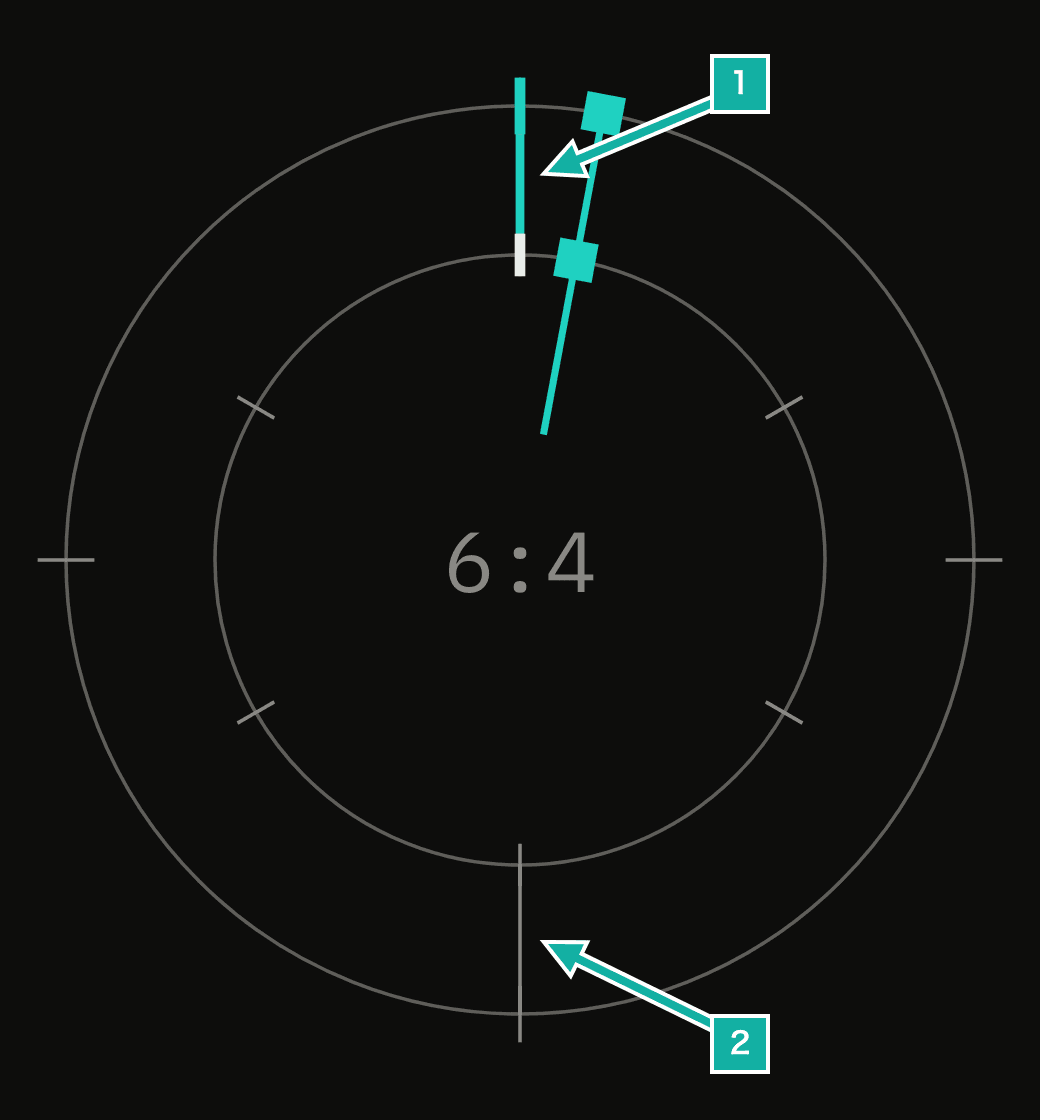
- Where the rhythms meet at the start of the cycle, lit as the hand passes
- Where they meet halfway through the cycle
You can't yet export a video recorded in the app with the ring drawn over it. Recording only keeps the beat times and the start of each bar, so we would first need to store the polyrhythm ratio and the custom beat layout along with them.
The ring only changes the display; what you hear follows the pattern. For how to use it, see Beat display (ring) in the manual.