Cloudflare's isitagentready.com scores how easy a site is for AI agents to use. When I scanned Metronome.fm, it got 20 out of 100, Level 1. In one day I worked through the checks and brought the score up to 93, Level 5 (Agent-Native).
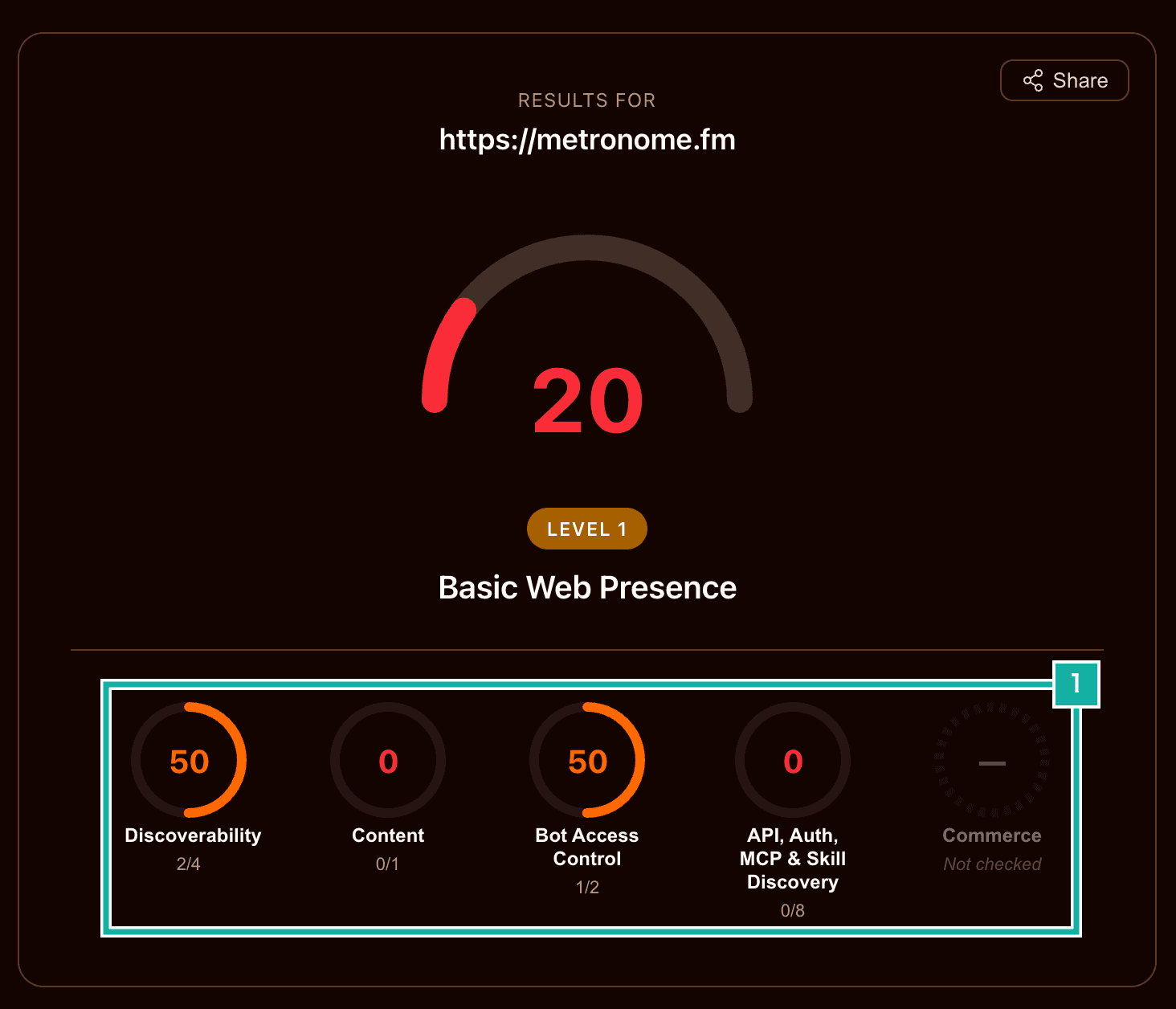
- Scores per category. API, Auth, MCP & Skill Discovery, the category with the most checks, failed all 8 of them
Most of the checks ask whether a file in a fixed format sits at a fixed place where agents look. But a pointer is useless if there's nothing at the other end, so I also built the API those files point to. That became an MCP server (Model Context Protocol, the standard way AI apps connect to outside tools) that lets a signed-in user read their own settings and practice records from an AI app.
This post goes through what I added for each check.
What the scan checks
The checks fall into four categories.
Category | What it looks at |
|---|---|
Discoverability | Whether robots.txt, the sitemap, the HTTP Link header and DNS records point to the manual and the API catalog |
Content | Whether a page comes back as Markdown when an agent asks for it |
Bot Access Control | Whether robots.txt has rules for AI crawlers and a Content-Signal |
API, Auth, MCP & Skill Discovery | Whether the site points agents to an API or MCP server they can use, and to how to sign in |
There is also a Commerce category for sites that sell things, but Metronome.fm wasn't detected as a store, so it didn't count toward the score.
robots.txt and the Link header
I started with the two quickest items.
In robots.txt I added a Content-Signal line. It declares whether the site's content may be used for search, for citing in AI answers, and for AI training. Most of Metronome.fm's features are free, I'd be glad to have AI recommend it in its answers, and I have no objection to it being used for training, so I allowed all three.
User-Agent: *
Allow: /
Content-Signal: search=yes, ai-input=yes, ai-train=yes
The homepage's response now carries a Link header. It points to the manual as service-doc (documentation on how to use the service) and to the API catalog (which leads to the MCP server described below) as api-catalog. An agent learns where to go from the header alone, before reading the page body.
link: </docs/en/manual>; rel="service-doc", </.well-known/api-catalog>; rel="api-catalog"
Returning Markdown at the same URL
When an agent requests a page with Accept: text/markdown, the site now returns Markdown instead of HTML. This covers the homepage, the manual and the dev blog. Agents no longer have to extract the text from HTML.
The routing happens in proxy.ts, Next.js's request middleware file (renamed from middleware.ts in Next.js 16). When Markdown is requested, it rewrites the request to a Route Handler that returns Markdown. Browsers never ask for text/markdown, so what people see doesn't change. */* and text/* don't get Markdown; only an explicit text/markdown does.
const rewriteToAgentMarkdown = (request: NextRequest) => {
  if (request.method !== "GET" && request.method !== "HEAD") return null;
  if (!acceptsMarkdown(request.headers.get("accept"))) return null;
  const markdownPath = agentMarkdownPathOf(request.nextUrl.pathname);
  if (!markdownPath) return null;
  const response = NextResponse.rewrite(new URL(markdownPath, request.url));
  response.headers.set("vary", "Accept");
  return response;
};The Markdown is generated at build time. The manual's text lives in per-language JSON files together with the UI strings, so it's built from those, and blog posts are built from their MDX. Components like <Figure> in the MDX become an image link and a caption.
The part I was careful about was caching. The same URL now has two kinds of content, so if the CDN cached the Markdown response and served it to a browser, the homepage would show raw Markdown. The Markdown response carries Vary: Accept, which says the content depends on the Accept header. After shipping, I alternated between a browser's Accept header and text/markdown. Both came from the cache (x-vercel-cache: HIT), and HTML and Markdown never got mixed up.
When someone opens the Route Handler's own URL (/agent-markdown/…) directly, it sends X-Robots-Tag: noindex, so the same content doesn't show up twice in search results.
Turning the homepage metronome into WebMCP tools
WebMCP lets a page expose its actions as tools to an AI agent running in the browser. The app screen (/app) already registered tools, but the scan opens the homepage (/) in a browser. So I registered five tools on the demo metronome at the top of the homepage.
- Read the current tempo and whether it's playing
- Change the tempo (40–300 BPM)
- Start
- Stop
- Open the app
Registration happens in an inline script in the HTML rather than inside a React component, so the tools are all in place by the time the page finishes loading. The production scan reported that it found the five tools.
An MCP server that lets AI read your own data
The API, Auth, MCP & Skill Discovery category, the one with the most checks, looks at whether there's an API agents can use and whether the site explains how to sign in to it. For this category I built a remote MCP server at https://metronome.fm/mcp that AI apps such as Claude can connect to. How to connect is in the manual under "Connect Claude or ChatGPT (MCP)".
It has four read-only tools.
Tool | Returns |
|---|---|
list_saved_settings | The list of saved settings |
get_saved_setting | The contents of one setting (tempo, time signature and so on) |
get_practice_statistics | Practice statistics |
list_practice_schedules | Practice schedules |
I didn't build any tools that write. If a prompt injection tricked the AI and it could write, it could delete or change your settings; keeping it read-only limits the damage. Tool calls are also rate-limited per user.
Letting Clerk handle sign-in
Metronome.fm uses Clerk for sign-in. Clerk can also act as an OAuth authorization server (the side that checks the sign-in and issues tokens), so I let it handle sign-in for MCP too. The flow goes like this.
- When an AI app calls
/mcpwithout a token, it gets a 401. TheWWW-Authenticateheader tells it where the server's metadata (Protected Resource Metadata) is and which permission scope to ask for (profile) - From that metadata, the AI app finds Clerk's authorization server and sends the user to Clerk's sign-in and consent screen
- Once the user allows it, the AI app gets an access token and calls
/mcpagain with it
/mcp checks that the token was issued by Clerk and that its audience (aud) is this site or /mcp.
const requestState = await clerkClient.authenticateRequest(request, {
  acceptsToken: "oauth_token",
  audience: [origin, mcpResourceUrlOf(origin)],
});What tripped me up was the Clerk middleware that runs in proxy.ts for every page. Clerk redirects requests without cookies to another URL to check the session (307). MCP clients don't have cookies, so they got redirected the moment they reached /mcp and couldn't connect. Requests to /mcp and under /.well-known/ now pass through proxy.ts without running the Clerk middleware, and /mcp checks the token itself.
Allowing only CIMD client registration
In OAuth, the app that receives the token (the client) has to be registered with the authorization server. MCP has two ways to connect without registering in advance.
- CIMD (Client ID Metadata Document): the client's ID is the URL of a JSON document describing it (its name, the URL to return to after sign-in, and so on). The authorization server reads that URL to learn about the client
- DCR (Dynamic Client Registration): the client registers itself with the authorization server when it connects
In Clerk's settings, the option to enable DCR was marked "Deprecated". On top of that, with DCR anyone can register a client, so someone could register one under a name that mimics a real app and get users shown a consent screen for it. So I accept CIMD only and turned DCR off.
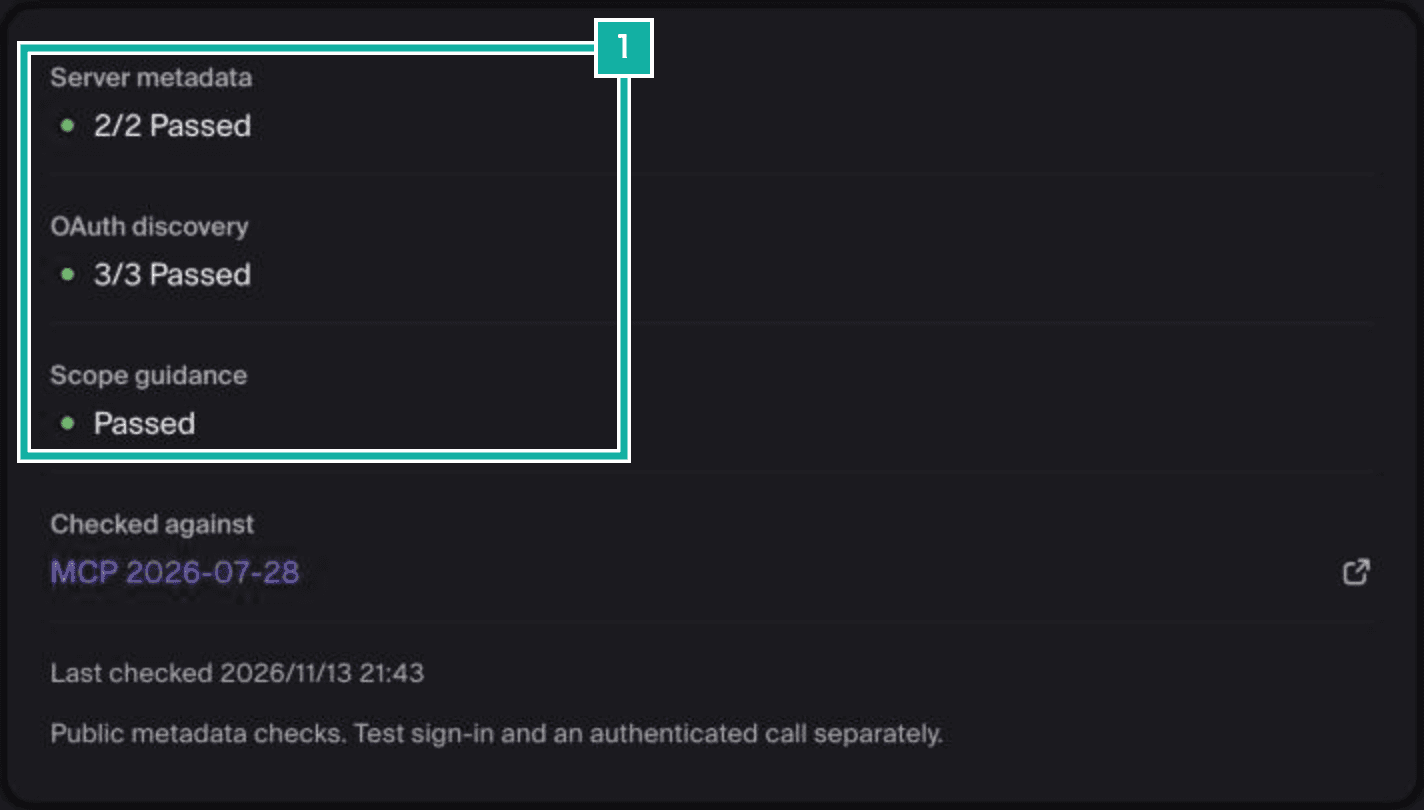
- The 401 response, the server metadata, the authorization server discovery and the scope guidance all passed
If you register your MCP server's URL in Clerk's dashboard, Clerk queries it from outside and checks how it returns 401 and its metadata. Run after shipping to production, every check passed. Finally, I connected Claude Code, which supports CIMD, to the production /mcp and confirmed the tools could be called.
Discovery files so agents can find the MCP server
With the MCP server in place, I added pointers under /.well-known/ and elsewhere so agents can find their way to it.
Location | What it contains |
|---|---|
/.well-known/oauth-protected-resource | The server's metadata (Protected Resource Metadata): which authorization server (Clerk) to sign in with. There's also …/oauth-protected-resource/mcp for /mcp |
/.well-known/oauth-authorization-server | The metadata of Clerk's authorization server. Older clients look for it on metronome.fm instead of on Clerk, so it returns Clerk's metadata as is |
/.well-known/api-catalog | The API catalog: links to the MCP server and its documentation page |
/.well-known/mcp/server-card.json | The MCP server's name, how to connect and its list of tools |
/.well-known/agent-skills/index.json | The list of guides for agents (Agent Skills). It has one guide on using Metronome.fm (opening the app, WebMCP, Markdown and the MCP server) |
/.well-known/ai-catalog.json | A list of what AI can use on the site (ARD, Agentic Resource Discovery) |
/auth.md | The steps an agent takes to sign in and read data |
I also added a pointer in DNS. DNS-AID (DNS for AI Discovery) announces where an MCP server is by placing an SVCB record at _mcp._agents.metronome.fm. The scan also checks that the record is signed with DNSSEC so it can be verified as genuine. I enabled DNSSEC in Cloudflare's dashboard.
_mcp._agents.metronome.fm. 300 IN SVCB 1 metronome.fm. alpn=h2 port=443
93 points, and the one I left
Scanned again after shipping, the site scored 93, Level 5.
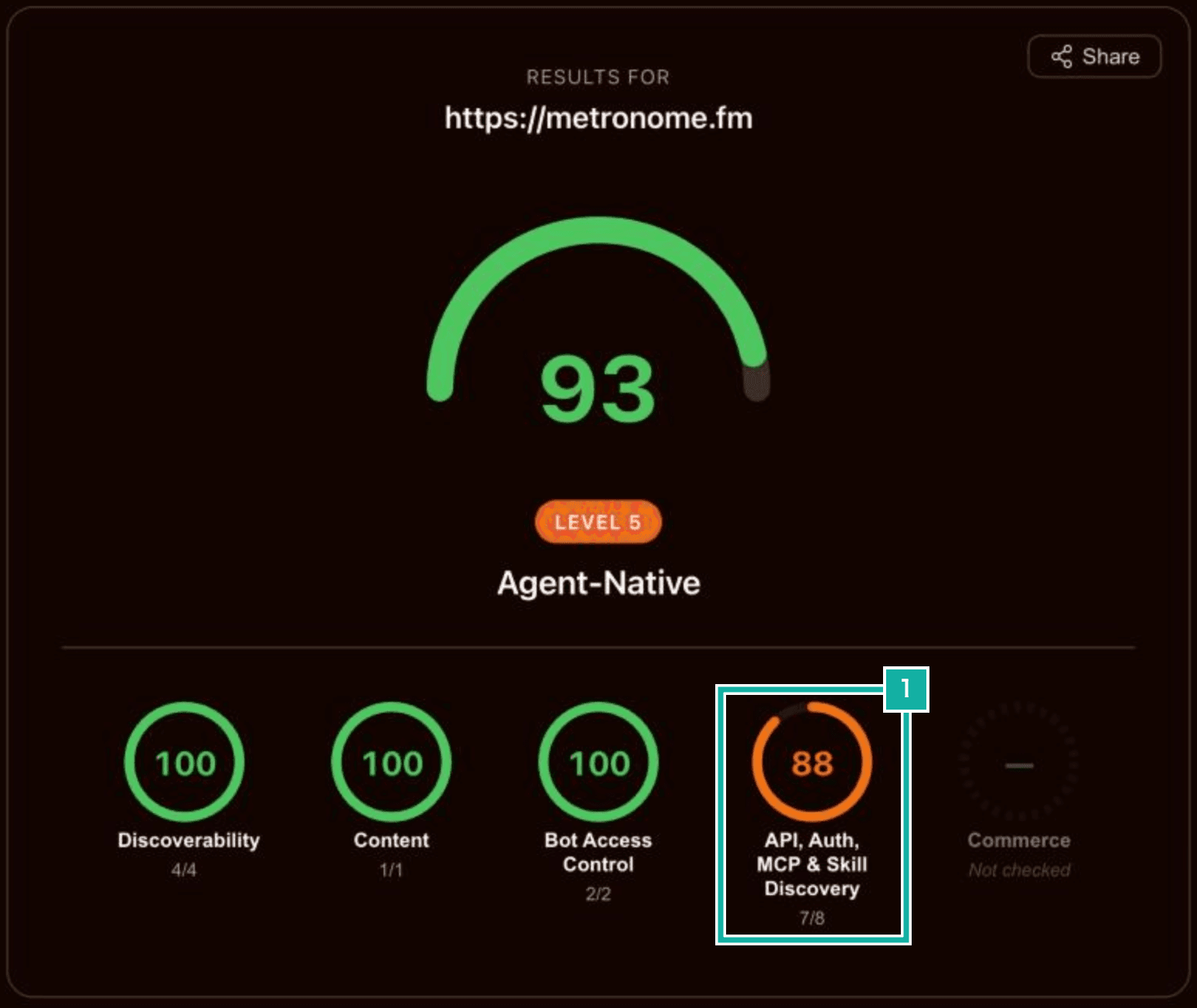
- Of the 8 checks in API, Auth, MCP & Skill Discovery, only auth.md still fails
The one still failing is auth.md. I did put up /auth.md, but the scan also checks whether the authorization server's metadata has an item called agent_auth. agent_auth points to URLs where an agent registers itself and where the user can later link that agent to their account.
The spec assumes the authorization server that issues tokens handles that registration itself. Metronome.fm's authorization server is Clerk, so I can't build it unless Clerk supports it. Just adding agent_auth to the metadata would earn the point, but nothing would work at the URLs it lists, so I didn't. The auth.md spec is also still changing fast, so I'm waiting for Clerk to support it.