Metronome.fm now has a status page that shows whether the service is up: status.metronome.fm. It runs on Better Stack. It went live on the same day I opened the issue for it. The only changes in the app were a component that opens the contact form and a link from the docs.
This post covers what is monitored, how the custom domain points to Better Stack, and how the status page links back to the contact form in the app.
I use Better Stack on the Free plan. Everything described here, including the monitors, the custom domain, and the Japanese version of the page, works within the free tier.

- Still on the Free plan
I wanted one after seeing status pages for other services. I was already sending error logs to Better Stack, so I kept monitoring and the status page in the same place.
What is monitored
There are two Better Stack monitors (Uptime monitors). Both send a GET request to a URL and decide whether it is up from the HTTP status of the response.
| URL | Interval | Timeout | Regions |
|---|---|---|---|
https://metronome.fm/app | 3 min | 30 s | Europe, US, Asia, Australia |
https://metronome.fm/ja | 3 min | 30 s | Same |
/app is the app itself and /ja is the Japanese landing page. Both follow redirects and verify the SSL certificate.
On the monitor settings page you choose when to be alerted (Alert us when) and which URL to monitor. On the Free plan you can alert when the URL becomes unavailable, when it does or doesn't contain a keyword, when it returns an unexpected status, or when the host doesn't respond to ping. TCP, DNS, Playwright scenarios and others require a paid plan.
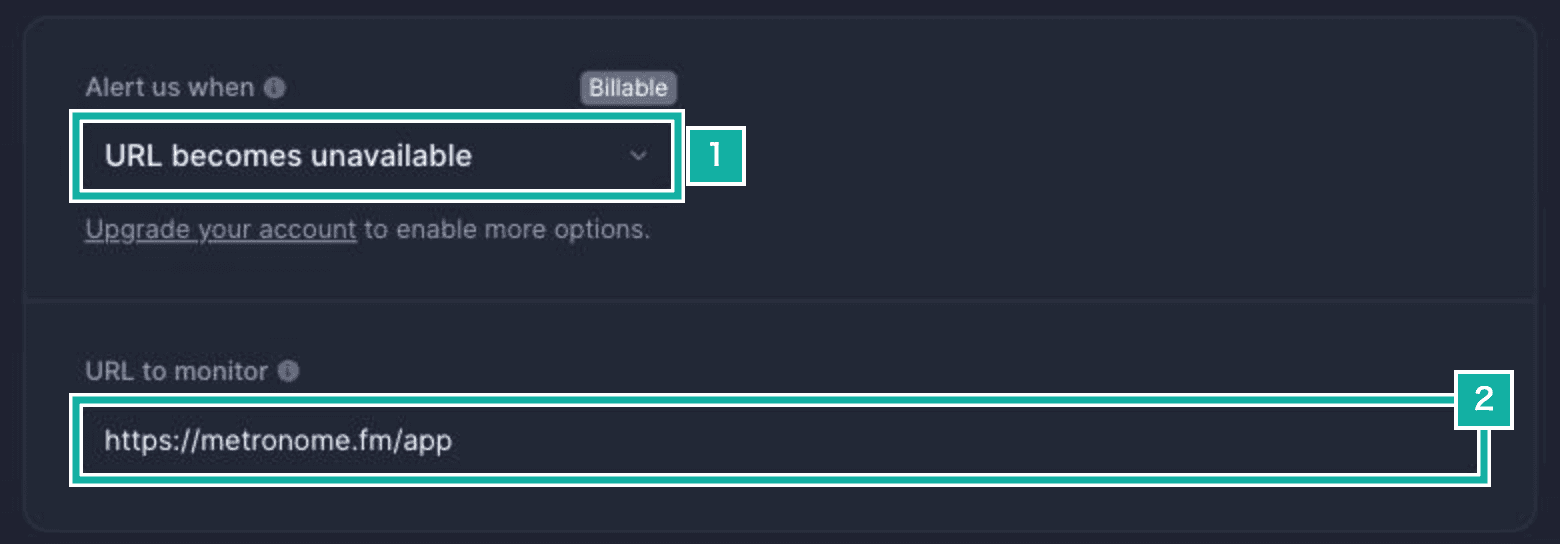
- Alert when the URL becomes unavailable
- The URL to monitor
It checks every 3 minutes, opens an incident as soon as it sees a failure (Confirmation period set to Immediate start), and marks it resolved after 3 minutes of being up (Recovery period).
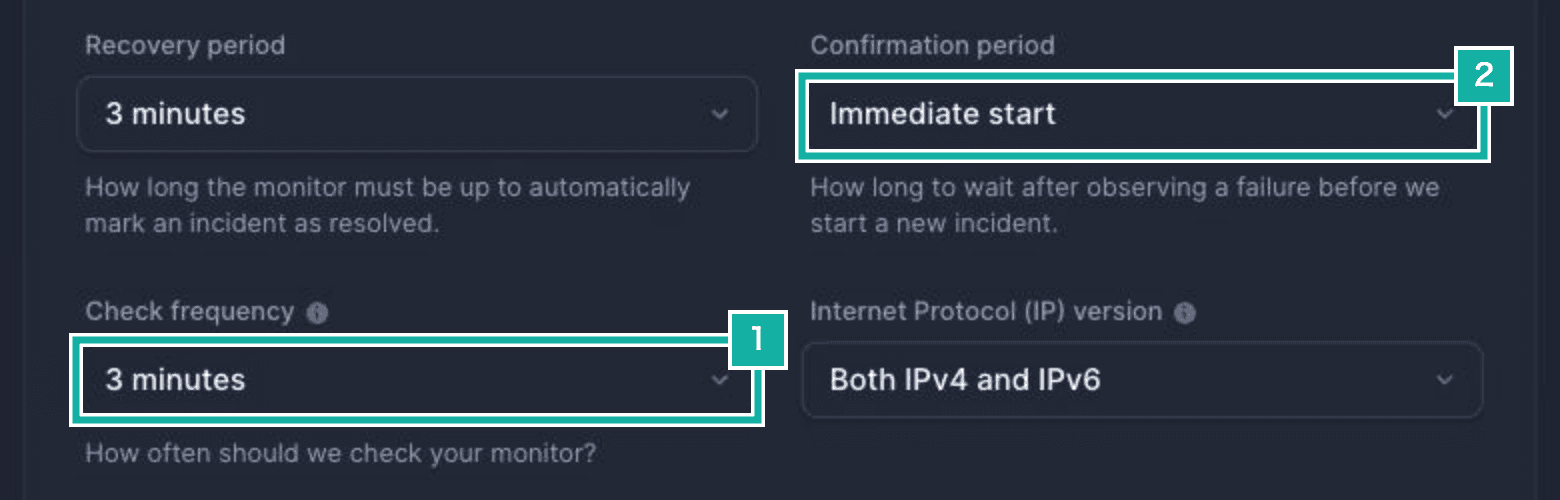
- Check every 3 minutes
- Open an incident right away when a check fails
Alerts for expiring SSL certificates or domains are not available on the Free plan.
Both monitors are shown on the status page, so an outage of either the app or the landing page is visible to users.
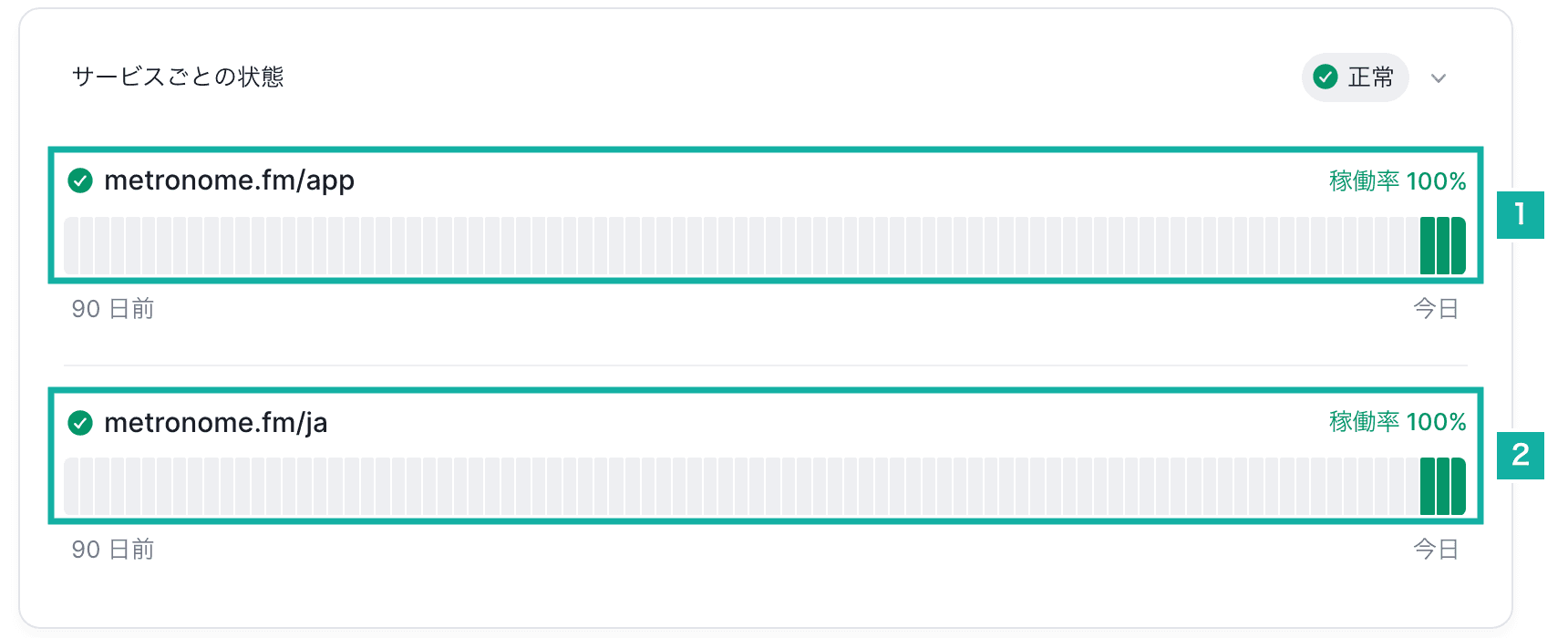
- The app (/app)
- The Japanese landing page (/ja)
Pointing status.metronome.fm at Better Stack
When I opened the issue, I wondered whether Next.js could serve a subdomain like status.metronome.fm. It turned out I didn't touch Next.js or the app at all. Better Stack serves the status page, and all I had to do was point the name at it with DNS.
The DNS for metronome.fm is on Cloudflare. I added one CNAME record for status that points to Better Stack's status page host.
$ dig +short status.metronome.fm CNAME
statuspage.betteruptime.com.Because dig shows the CNAME target directly, the record is not proxied through Cloudflare (DNS only).
The status page settings show the CNAME record to add, and once it resolves correctly they show "The CNAME is configured correctly". If your DNS is on Cloudflare, you can also sign in to Cloudflare from this screen and add the record there.
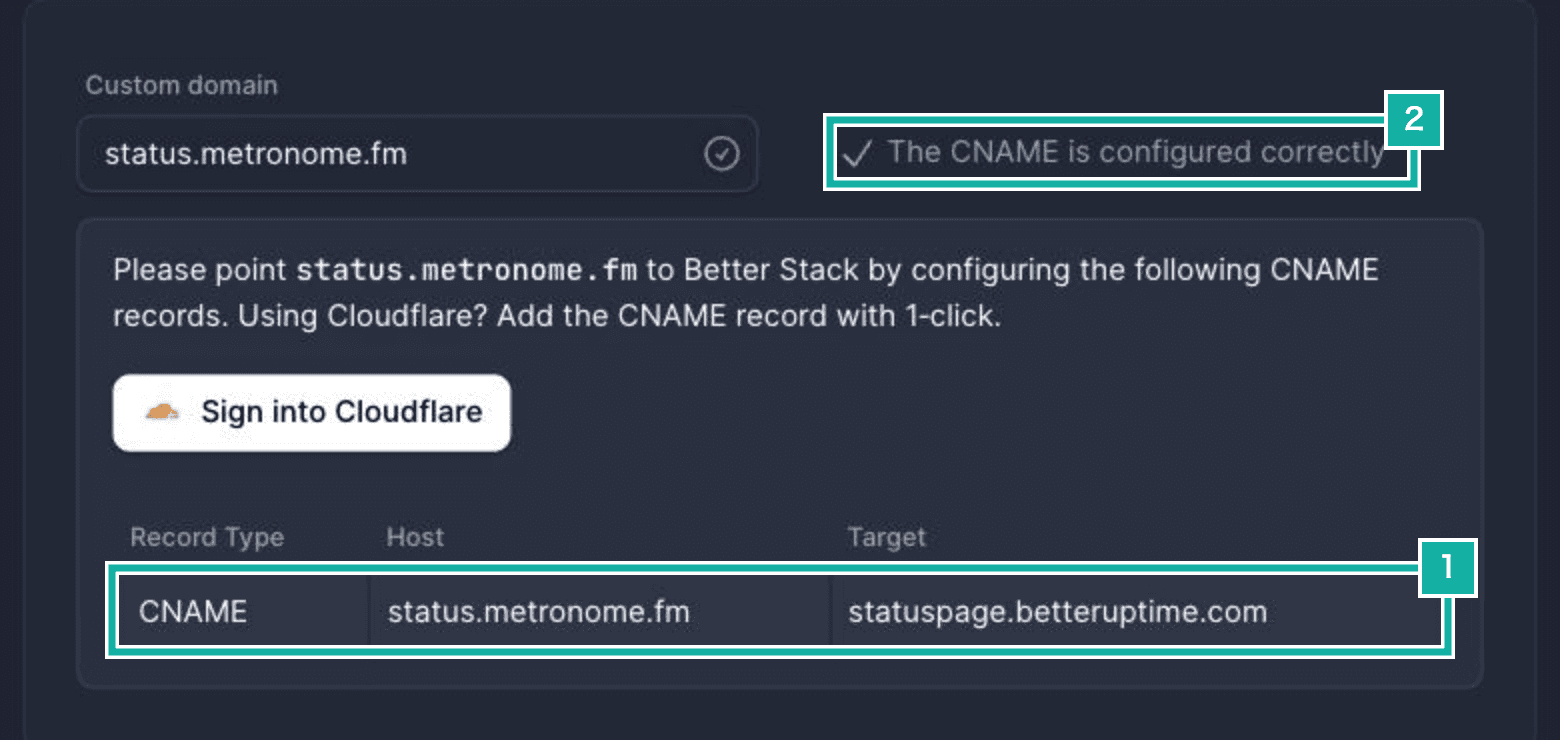
- Add this CNAME to your DNS (Cloudflare)
- Shown once the record resolves correctly
I added it with that button. After you sign in to Cloudflare and approve, the CNAME record is created.
Opening the app's contact form from the status page
A Better Stack status page can show a contact button in the top right. You set where it goes with the "Get in touch URL" setting; leave it empty to hide the button. mailto: links work too.

- The contact button. It opens the form in the app
Metronome.fm takes inquiries through a form (a modal) inside the app. The form has no URL of its own, so I made /app open it when ?contact=open is in the URL. The status page's Get in touch URL is set to https://metronome.fm/app?contact=open.
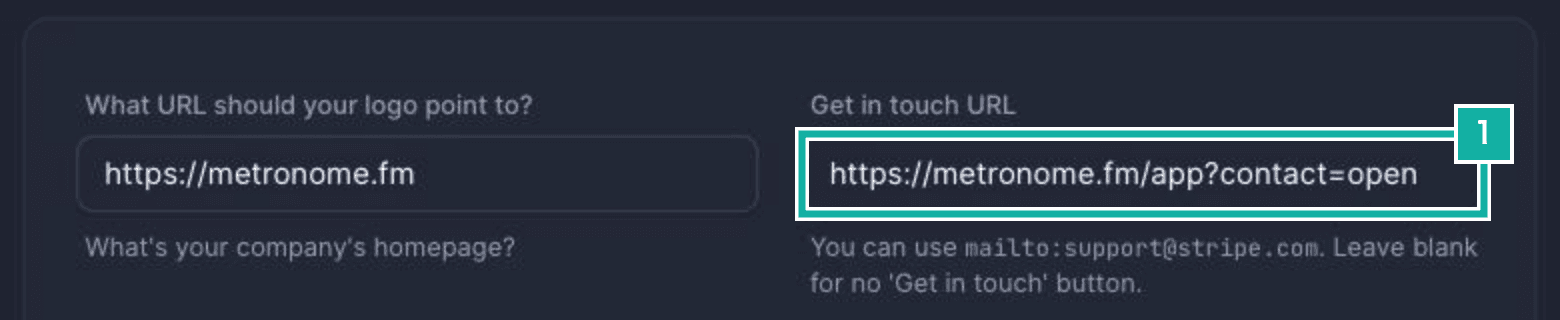
- Where the contact button goes (Get in touch URL)
export const ContactLinkOpener = () => {
  const searchParams = useSearchParams();
  const router = useRouter();
  const pathname = usePathname();
  const openContactFormModal = useModalState(
    (state) => state.openContactFormModal,
  );
  const shouldOpen = searchParams.get("contact") === "open";

  const open = useEffectEvent(() => {
    const rest = new URLSearchParams(searchParams);
    rest.delete("contact");
    const query = rest.toString();
    router.replace(query ? `${pathname}?${query}` : pathname);
    openContactFormModal();
  });

  useEffect(() => {
    if (shouldOpen) open();
  }, [shouldOpen]);

  return null;
};Once the form opens, contact=open is removed from the URL. Otherwise the form would open again on reload, or after closing it and navigating within the app. Other query parameters are kept.
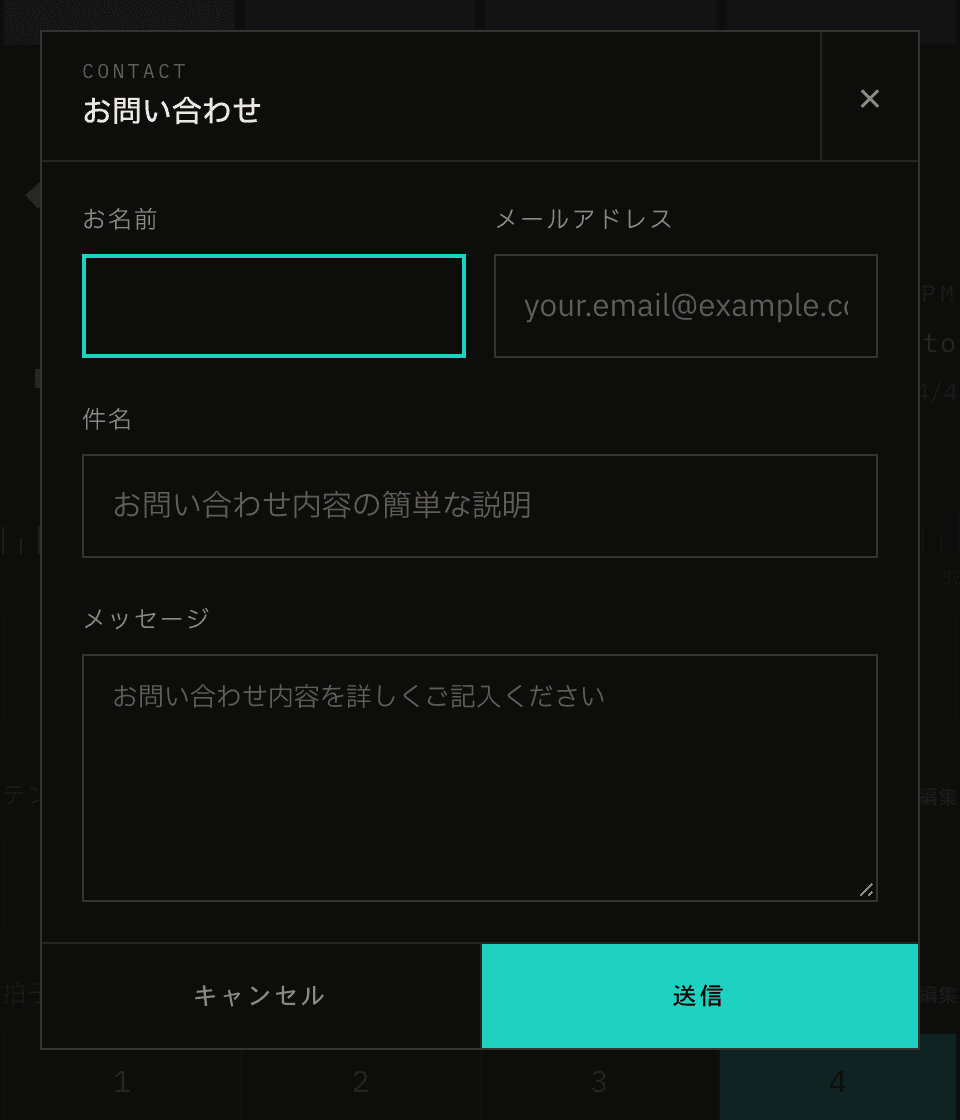
The component lives in the header. In Next.js, a component that uses useSearchParams makes everything up to the nearest Suspense boundary render on the client. To keep the whole header from doing that, only this component is wrapped in Suspense.
The Japanese version and links from the site
The status page serves English at / and Japanese at /ja. Visitors can also switch with the language picker at the bottom.
Translations require the newer status page design (Modern look).
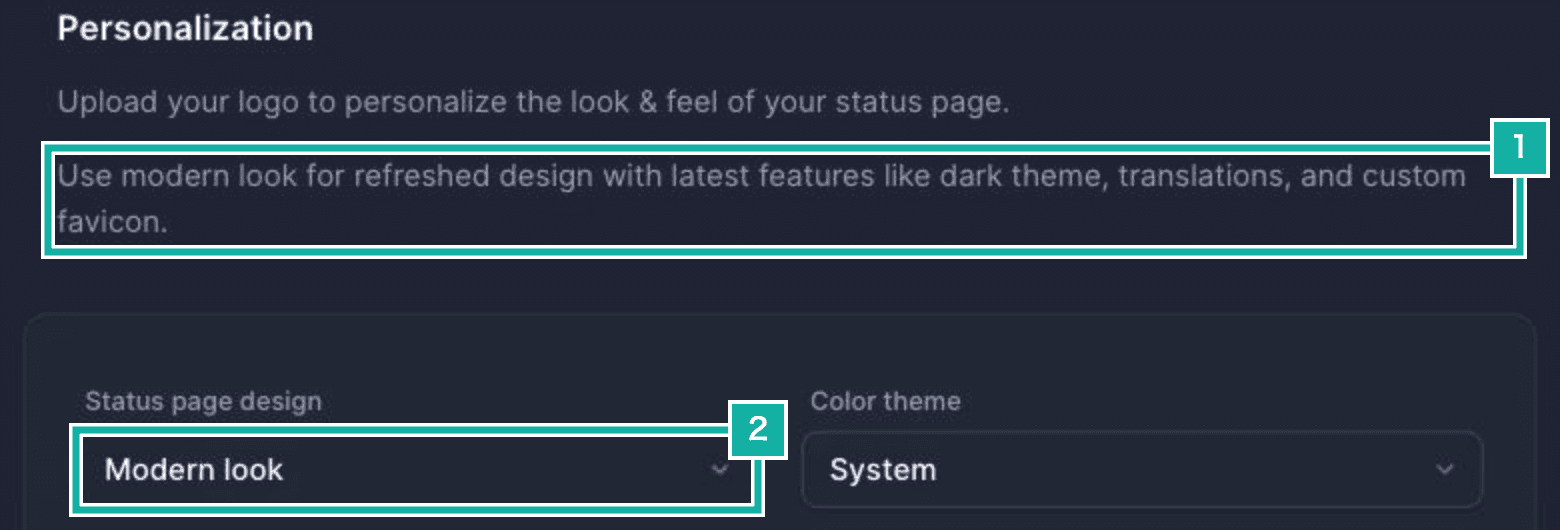
- Translations are a feature of the newer design (Modern look)
- Set the design to Modern look
Better Stack has ready-made translations, but only for English, German, French, Spanish, Dutch, Czech, Swedish and Turkish, not Japanese. So I created a translation with the locale ja and filled in 256 strings in Japanese, covering navigation, status labels, automatic incident reports and more. Claude wrote the translations. The company name can be inserted with placeholders like %{company_name}.
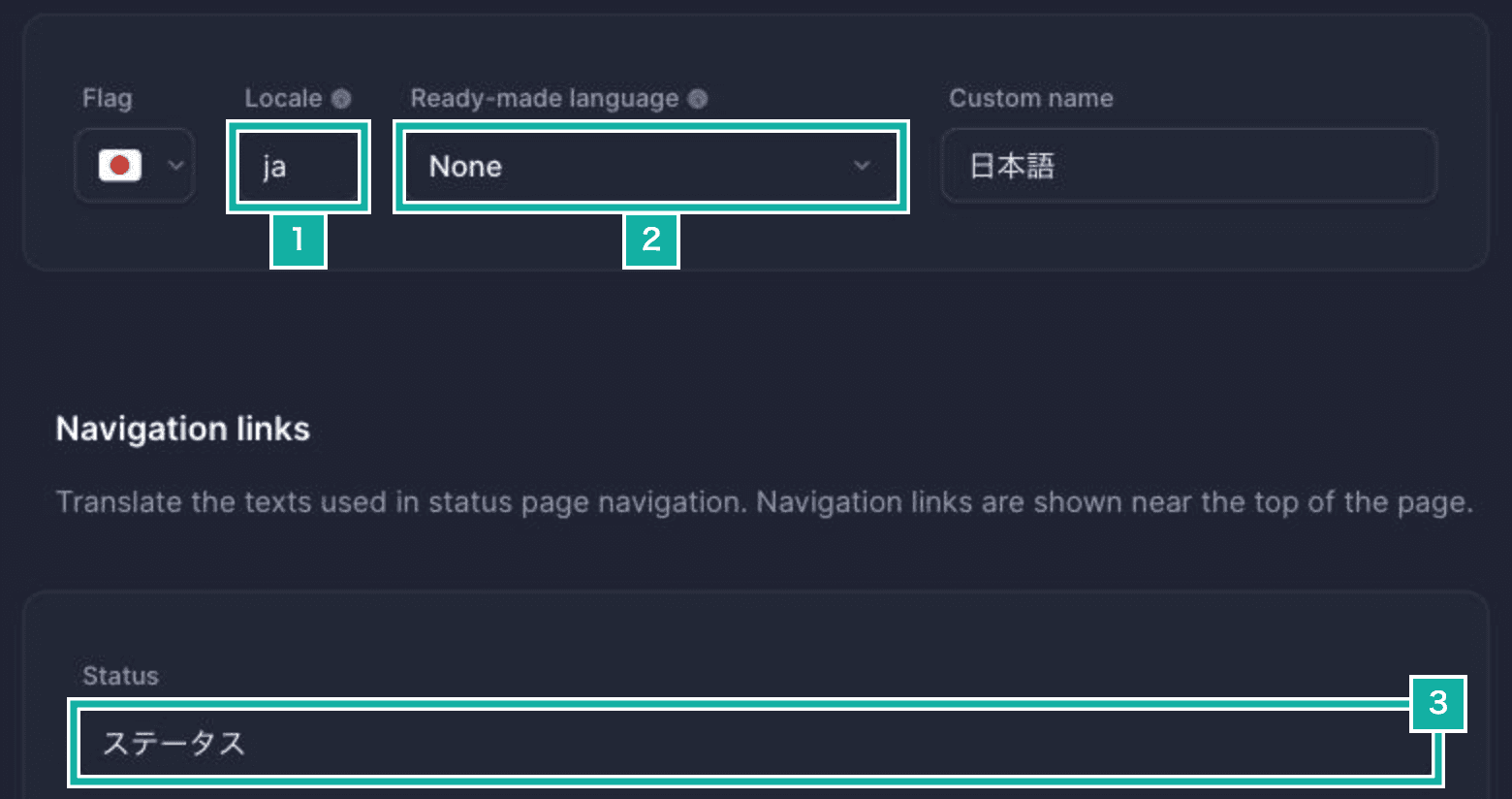
- The locale is ja
- No ready-made Japanese, so None
- Each string is filled in by hand in Japanese

- The language picker
On the Metronome.fm side, the status page is linked from the top of the docs and from the v2.5 release notes. The link follows the current language: / for English and /ja for Japanese.
export const getStatusPageUrl = (locale: string) =>
  locale === DEFAULT_LOCALE
    ? `${STATUS_PAGE_URL}/`
    : `${STATUS_PAGE_URL}/${locale}`;